
Crocoblock Plugins: Complete Guide to All 23 JetPlugins, Pricing, Features & Free vs Paid

Last checked: September 2026. Crocoblock is a WordPress toolkit built around the JetPlugins family. The current Crocoblock product pages list 23 JetPlugins, covering dynamic content, filtering, WooCommerce layouts, booking, appointments, forms, search, menus, popups, reviews, private messaging, and AI-search controls. Some older Crocoblock pricing blocks still show 22 plugins because JetGEO was added later; this guide follows the newest 23-plugin list.
This is a descriptive guide, not a sales page. It explains what each Crocoblock plugin does, the regular developer price, its main features, practical strengths, limitations, builder support, and whether a free version exists. Prices below use the regular list price shown by Crocoblock, not short-term sale pricing.
Jump to the area you want to understand:
Dynamic content ·
Filtering ·
WooCommerce ·
Appointments ·
Booking ·
Forms ·
Menus ·
AI search controls
What is Crocoblock?
Crocoblock is a modular WordPress toolkit. You do not have to install every JetPlugin. A site can use only the plugins required for its workflow: JetEngine for dynamic data, JetSmartFilters for filtering, JetWooBuilder for WooCommerce templates, JetBooking for day-based bookings, JetAppointment for hourly services, or JetFormBuilder for forms. Crocoblock states that all JetPlugins work with Elementor without requiring Elementor Pro. Gutenberg support covers a growing subset of the suite, while Bricks support is available for selected plugins such as JetEngine, JetSmartFilters, JetSearch, JetFormBuilder, JetAppointment, and JetBooking.
Crocoblock pricing overview
| Plugin | Main purpose | Regular standalone price | Free version |
|---|---|---|---|
| JetEngine | Dynamic content and custom data | $75/year | No separate free edition listed |
| JetSmartFilters | Advanced filtering | $75/year | No separate free edition listed |
| JetProductTables | WooCommerce product tables | $55/year | No separate free edition listed |
| JetElements | Elementor design widgets | $75/year | No separate free edition listed |
| JetMessenger | Private user messaging | $55/year | No separate free edition listed |
| JetGEO | AI-search and crawler controls | $55/year | No separate free edition listed |
| JetMenu | Mega menus and mobile navigation | $55/year | No separate free edition listed |
| JetWooBuilder | WooCommerce templates | $55/year | No separate free edition listed |
| JetTabs | Tabs, accordions, switchers | $43/year | No separate free edition listed |
| JetTricks | Interactive visual effects | $43/year | No separate free edition listed |
| JetSearch | AJAX search | $43/year | No separate free edition listed |
| JetBlog | Blog and magazine layouts | $43/year | No separate free edition listed |
| JetAppointment | Hourly appointment scheduling | $43/year | No separate free edition listed |
| JetBlocks | Header and footer widgets | $43/year | No separate free edition listed |
| JetProductGallery | Product image/video galleries | $43/year | No separate free edition listed |
| JetThemeCore | Theme and template building | $55/year | No separate free edition listed |
| JetBooking | Date-range booking | $75/year | No separate free edition listed |
| JetPopup | Popups and display rules | $43/year | No separate free edition listed |
| JetReviews | Reviews, ratings, comments | $43/year | No separate free edition listed |
| JetCompareWishlist | Product compare and wishlist | $43/year | No separate free edition listed |
| JetFormBuilder | Forms and front-end workflows | Free core; Pro from $49/year | Yes |
| JetGridBuilder | Visual post/term grids | Free | 100% free |
| JetStyleManager | Gutenberg block styling | Free | 100% free |
For buyers comparing Crocoblock pricing, the official pricing page currently lists All-Inclusive at $199/year for one site, All-Inclusive Plus at $249/year, and a Lifetime plan at $999 one time. Individual plugins can also be bought separately.
All 23 Crocoblock plugins explained
 1. JetEngine — dynamic content and custom WordPress data
Regular price: $75/year for one site. Official JetEngine page.
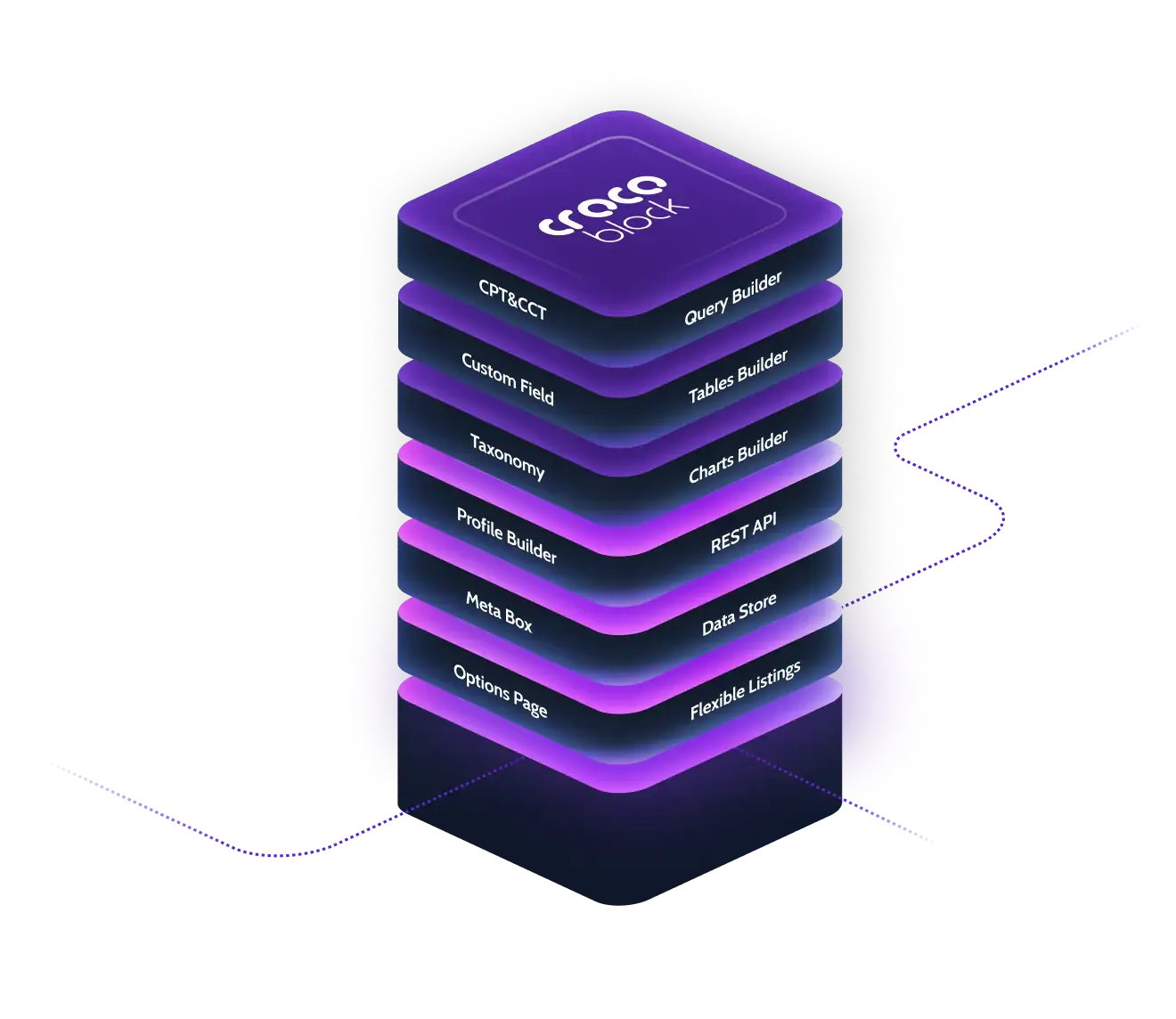
JetEngine is the main dynamic-content plugin in the Crocoblock suite. It is designed for websites that need structured data beyond normal posts and pages. Crocoblock documents tools for custom post types, custom content types, taxonomies, custom fields, relations, listings, queries, user profiles, dynamic tables, charts, maps, and other data-driven output.
Main features
- Custom Post Types, Custom Content Types, taxonomies, and meta fields
- Relations between posts, users, terms, and custom content
- Query Builder and Listing Grid output
- Dynamic tables, charts, maps, and visibility rules
- User profile and front-end content workflows
- Works with Elementor, Gutenberg, and Bricks
Pros
- Covers both data structure and front-end dynamic output in one plugin.
- Useful for directories, real estate, marketplaces, membership sites, and custom catalogs.
- Integrates closely with other JetPlugins such as JetSmartFilters and JetFormBuilder.
Limitations
- No separate free JetEngine edition is listed by Crocoblock.
- Some complete workflows still use other plugins, for example forms, filtering, or booking.
Free vs paid: JetEngine is sold as a paid standalone product. The single-site annual license includes one year of updates and support.
2. JetSmartFilters — advanced filters for dynamic content and WooCommerce
Regular price: $75/year. Official JetSmartFilters page.
JetSmartFilters is Crocoblock’s filtering plugin for posts, custom post types, WooCommerce products, booking data, and compatible listing providers. It supports AJAX, mixed, and page-reload filtering and can work with Elementor, Gutenberg, Bricks, and selected Divi workflows.
Main features
- Checkbox, radio, select, range, date, rating, search, and other filter types
- AJAX filtering without full page reload
- Indexer and result counts
- Pagination, active filters, and reset controls
- WooCommerce, ACF, Pods, and custom field filtering
- SEO rules for filter URLs and filtered-page titles/descriptions
Pros
- Suitable for large catalogs and directories with structured attributes.
- Works especially well with JetEngine listings and WooCommerce products.
- Includes dedicated filtering features rather than relying on basic archive navigation.
Limitations
- The filter must be connected to a compatible provider or listing source.
- Advanced filter URLs and SEO rules require deliberate configuration.
Free vs paid: Crocoblock lists JetSmartFilters as a paid plugin with no separate free edition.

3. JetProductTables — responsive WooCommerce product tables
Regular price: $55/year. Official JetProductTables page.
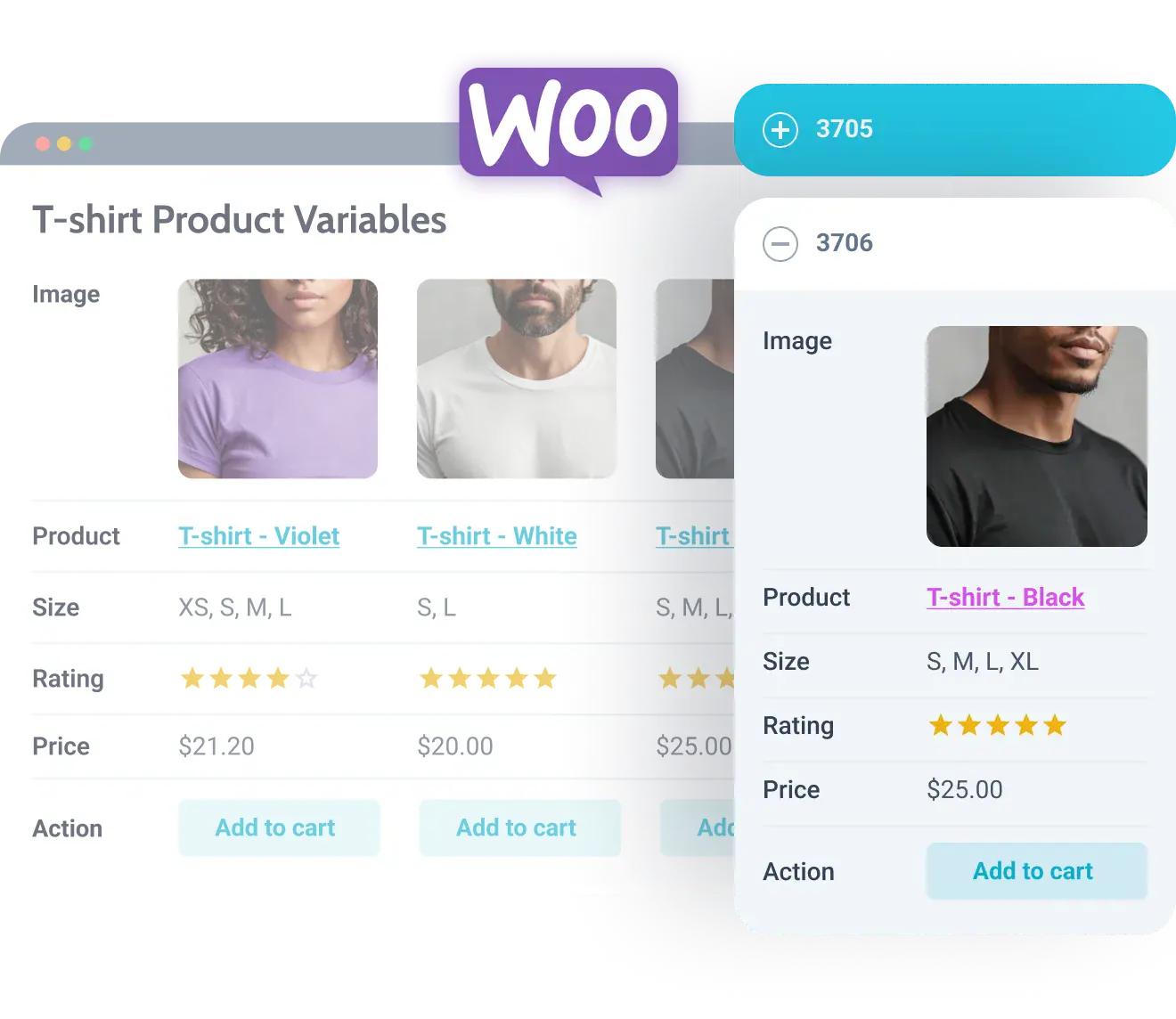
JetProductTables turns WooCommerce product data into responsive tables. It is intended for stores where customers need to compare or order products from a compact list instead of browsing standard product cards.
Main features
- Comparison, pricing, restaurant menu, variation, and custom table layouts
- Columns for name, SKU, price, stock, taxonomy, meta, descriptions, and attributes
- Add to Cart and internal/external action buttons
- Variation tables for variable products
- Search, filters, sorting, pagination, lazy load, and Load More
- Mobile layouts including scroll, hidden columns, transformed cards, and collapsed rows
- Gutenberg block and shortcode output
Pros
- Displays a high amount of product information in a compact format.
- Useful for wholesale catalogs, technical products, parts, restaurant menus, and quick ordering.
Limitations
- It is specifically focused on WooCommerce product tables, not general-purpose database tables.
- Dense tables still need careful mobile column choices.
Free vs paid: no separate free JetProductTables edition is listed.
4. JetElements — design and content widgets for Elementor
Regular price: $75/year. Official JetElements page.
JetElements adds a broad set of visual widgets to Elementor. It focuses on presentation rather than database structure. Crocoblock lists sliders, portfolios, pricing tables, testimonials, timelines, maps, media players, social content, data visualization, and many other widgets.
Main features
- Sliders and carousels
- Portfolio gallery layouts
- Audio and video players
- Before/after image comparison
- Pricing tables and price lists
- Post grids, services, testimonials, timelines, maps, Instagram, timers, and team profiles
- Charts, progress bars, responsive tables, Lottie, inline SVG, and download buttons
Pros
- Large Elementor widget collection from one developer.
- Useful for marketing pages, portfolios, content sections, and visual data.
Limitations
- The official product page lists Elementor as the editor for JetElements.
- Some dynamic use cases depend on JetEngine as a separate plugin.
Free vs paid: JetElements is a paid plugin; Crocoblock does not list a separate free edition.

5. JetMessenger — private messaging for logged-in WordPress users
Regular price: $55/year. Official JetMessenger page.
JetMessenger adds private, contextual messaging to WordPress portals such as marketplaces, directories, LMS projects, and booking websites. Crocoblock positions it for communication between logged-in users rather than anonymous website live chat.
Main features
- Context-aware conversation threads
- “My Chats” inbox
- Media attachments
- Entry points from listings and pages
- Elementor, Gutenberg, Bricks, and WooCommerce support
- GDPR-oriented messaging workflow
Pros
- Keeps buyer/seller, student/provider, or directory conversations inside the website.
- Fits naturally into profile- and listing-based Crocoblock sites.
Limitations
- It is not designed as an anonymous customer-support chat widget.
- A complete portal may still need JetEngine, forms, listings, or WooCommerce depending on the project.
Free vs paid: JetMessenger is currently a paid standalone plugin.

6. JetGEO — Generative Engine Optimization and AI crawler controls
Regular price: $55/year. Official JetGEO page.
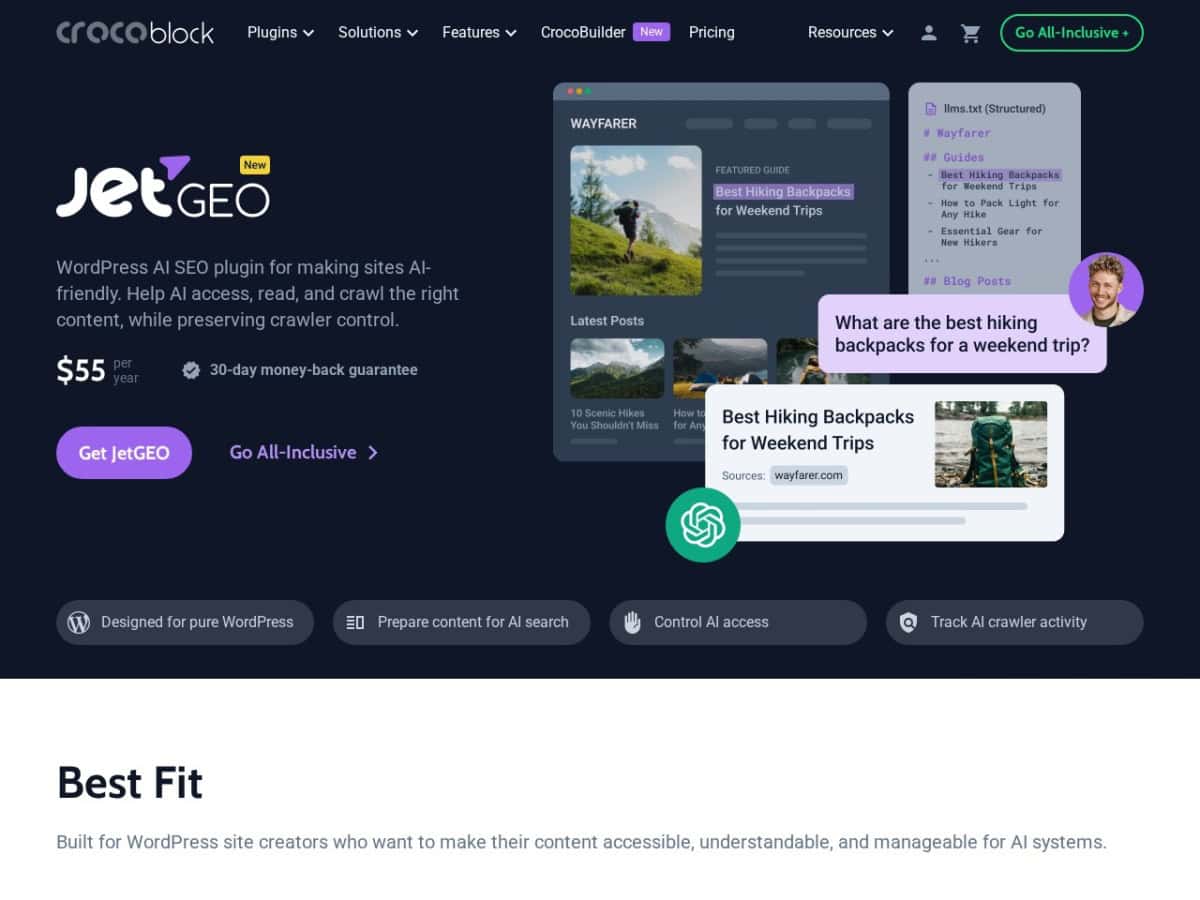
JetGEO is Crocoblock’s WordPress plugin for AI-facing content controls. GEO stands for Generative Engine Optimization. It works independently of a visual page builder and focuses on how AI crawlers can access, read, and monitor site content.
Main features
- AI content visibility controls by post type and individual content item
- LLMs.txt creation and automatic updates
- Markdown output for selected WordPress content
- Robots.txt management for known AI crawlers
- AI crawler activity monitoring
- Guided setup wizard
Pros
- Brings AI crawler policy, AI-readable formats, and monitoring into one WordPress interface.
- Builder-agnostic and can work with existing site content.
Limitations
- Allowing a crawler or publishing LLMs.txt does not guarantee citation or visibility in an AI answer.
- It is a separate paid plugin unless included with an eligible Crocoblock plan.
Free vs paid: JetGEO is paid and is also included in current All-Inclusive, All-Inclusive Plus, and Lifetime plans.
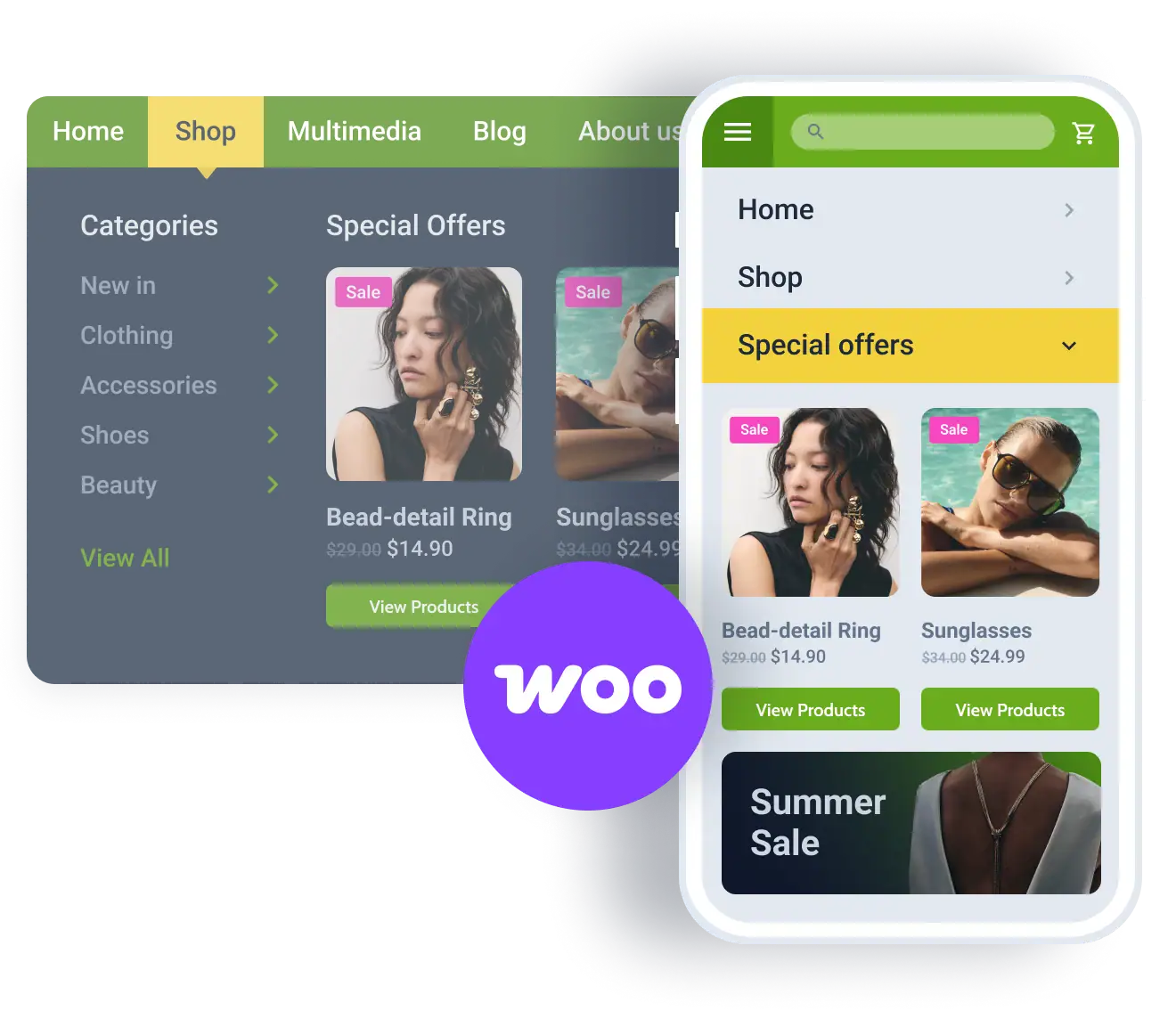
7. JetMenu — mega menus, dropdowns, and mobile navigation
Regular price: $55/year. Official JetMenu page.
JetMenu builds richer WordPress navigation than a standard dropdown menu. It supports multi-level mega menus, mobile-specific layouts, media, product grids, banners, and responsive behavior.
Main features
- Mega menu and dropdown menu layouts
- Vertical and horizontal navigation
- Mobile-friendly menu structures
- Multimedia and dynamic content inside menu panels
- Sub-menu behavior controls and style presets
- Elementor and Gutenberg support
Pros
- Useful for large stores, directories, and content-heavy sites with many navigation paths.
- Can place richer content inside menu panels than basic WordPress menus.
Limitations
- It is a navigation plugin, not a full theme builder.
- Complex mega menus still require a clear information architecture.
Free vs paid: no separate free JetMenu edition is listed.
8. JetWooBuilder — custom WooCommerce shop and checkout templates
Regular price: $55/year. Official JetWooBuilder page.
JetWooBuilder lets Elementor users replace standard WooCommerce layouts with custom templates. The official feature set covers single product pages, shop and catalog pages, product loops, cart, checkout, thank-you pages, and account areas.
Main features
- Single product templates
- Shop and catalog layouts
- Product Grid, Product List, Category Grid, and taxonomy layouts
- Cart and checkout page customization
- Thank-you and My Account templates
- AJAX-oriented WooCommerce widgets and product actions
Pros
- Replaces rigid WooCommerce templates without editing PHP template files.
- Useful when a store needs a custom product experience inside Elementor.
Limitations
- The current product page identifies Elementor as the editor.
- Changes to cart and checkout templates should always be tested with payment and shipping extensions.
Free vs paid: JetWooBuilder is a paid standalone plugin.

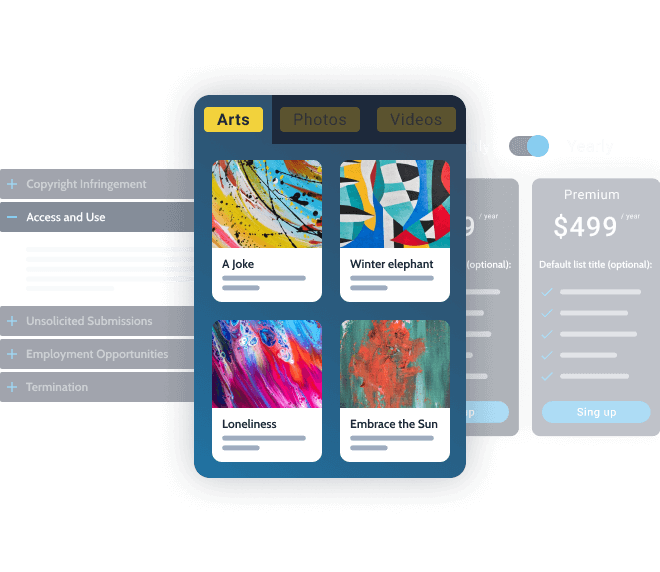
9. JetTabs — tabs, accordions, image accordions, and switchers
Regular price: $43/year. Official JetTabs page.
JetTabs organizes large amounts of content into compact interactive sections. Its widgets include horizontal and vertical tabs, classic accordions, image accordions, and a switcher for comparing two pieces of content.
Main features
- Horizontal and vertical tabs
- Classic and image accordions
- Two-state content switcher
- Nested tab structures
- AJAX loading for tab content
- Dynamic content support through the separate Dynamic Data add-on and JetEngine
Pros
- Useful for specifications, FAQs, pricing comparisons, and content-heavy product pages.
- AJAX loading can defer complex tab content until it is opened.
Limitations
- Dynamic data examples require the separate free Dynamic Data add-on and JetEngine.
- The core experience is centered on Elementor widgets.
Free vs paid: JetTabs itself is paid; some related DevTools add-ons are free.
10. JetTricks — visual effects and interactive content
Regular price: $43/year. Official JetTricks page.
JetTricks adds visual and interactive effects to WordPress content. Crocoblock documents both widgets and extensions for Elementor and WordPress Block Editor workflows.
Main features
- Unfold and Read More widgets
- Tooltips and image hotspots
- Satellite effects
- Particles backgrounds
- Parallax effects
- Sticky columns
- Scroll Reveal effects
Pros
- Adds interaction without requiring custom JavaScript for common effects.
- Useful for product callouts, portfolios, landing pages, and interactive images.
Limitations
- It is a visual-effects plugin, not a data, form, search, or commerce system.
- Crocoblock includes performance-oriented load-level settings, so unused effects should not be enabled unnecessarily.
Free vs paid: JetTricks is sold as a paid plugin.

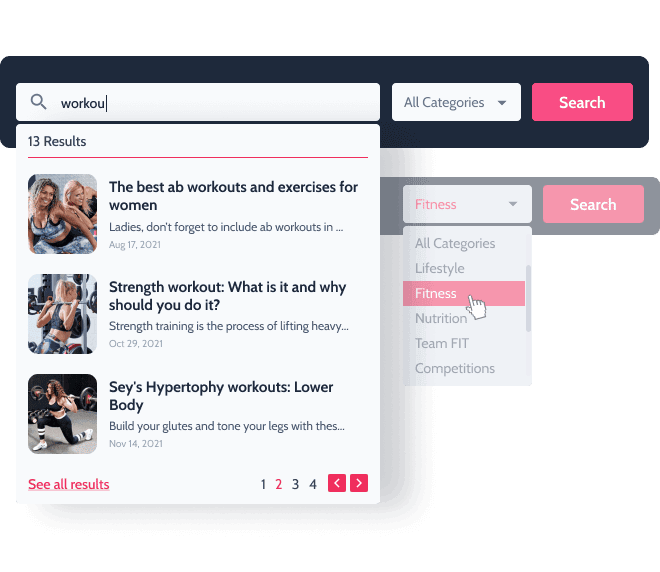
11. JetSearch — AJAX search for posts, products, terms, and custom fields
Regular price: $43/year. Official JetSearch page.
JetSearch improves WordPress search with AJAX results and configurable query sources. It can search posts, pages, custom post types, WooCommerce products, taxonomy terms, custom fields, attributes, and booking availability.
Main features
- Live AJAX search
- Search by post type, taxonomy, custom field, SKU, and WooCommerce attributes
- Include/exclude specific posts or terms
- Custom result ordering and relevance settings
- Product price, rating, and Add to Cart in search results
- Search pagination and highlighted query text
- Elementor, Gutenberg, and Bricks support
Pros
- Useful for large content libraries and stores where default WordPress search is too basic.
- Provides ecommerce-oriented result controls.
Limitations
- JetSearch is a search tool; faceted browsing is handled by JetSmartFilters.
Free vs paid: JetSearch is a paid plugin.
12. JetBlog — blog, magazine, news, and video layouts
Regular price: $43/year. Official JetBlog page.
JetBlog is an Elementor-oriented content display plugin for editorial websites. It adds post-list and post-tile layouts, text tickers, video playlists, navigation, and pagination widgets.
Main features
- Smart Posts List
- Smart Posts Tiles with multiple layouts
- Post tiles carousel
- Text Ticker for recent news and RSS data
- YouTube/Vimeo video playlists
- Custom WordPress queries and custom post type support
- Archive, navigation, and pagination widgets
Pros
- Useful for magazine-style homepages and content-heavy Elementor sites.
- Supports custom queries and custom fields in post layouts.
Limitations
- The official product is focused on Elementor rather than being a general block-editor layout suite.
- It controls presentation, not editorial workflow or SEO metadata.
Free vs paid: JetBlog is a paid standalone plugin.

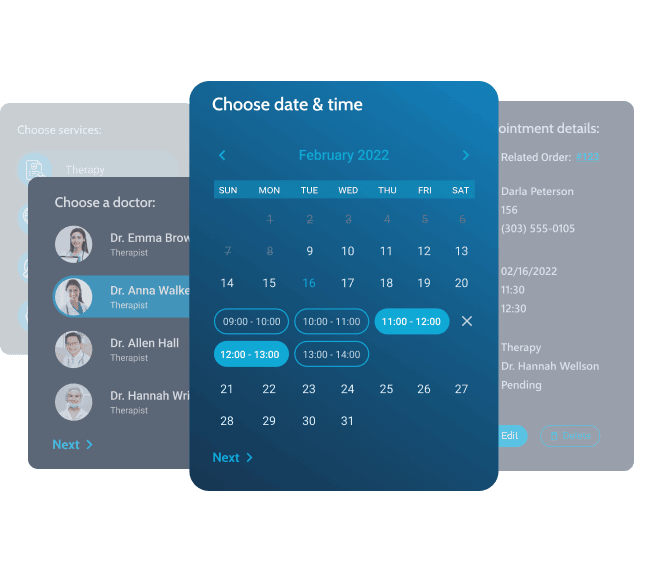
13. JetAppointment — hourly service and provider booking
Regular price: $43/year. Official JetAppointment page.
JetAppointment is built for hourly services where a customer chooses a service, provider, date, and time slot. Crocoblock positions it for salons, clinics, studios, coaching, consultations, and other time-based businesses.
Main features
- Fixed slots and time-range booking
- Service and provider relationships
- Buffer times, breaks, days off, locked times, and recurring bookings
- WooCommerce payments
- Google Calendar two-way synchronization
- Zoom and Google Meet creation
- Confirmations, cancellations, reminders, webhooks, and status-based actions
- Elementor, Gutenberg, and Bricks support
Pros
- Focused on service-based scheduling rather than generic reservation forms.
- Supports both front-end booking and back-end appointment management.
Limitations
- For hotel-style day-range reservations, JetBooking is the more appropriate Crocoblock plugin.
- Advanced workflows may also use JetEngine and JetFormBuilder.
Free vs paid: JetAppointment is paid.
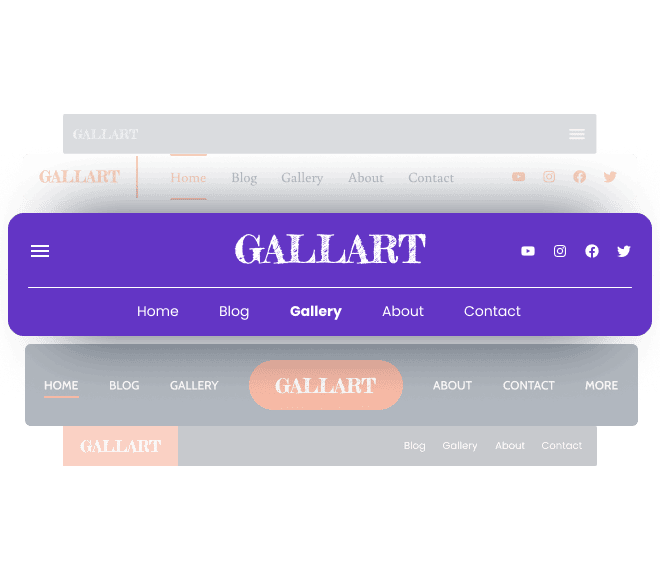
14. JetBlocks — Elementor widgets for headers and footers
Regular price: $43/year. Official JetBlocks page.
JetBlocks adds header and footer widgets to Elementor. It is aimed at navigation, site identity, authorization, search, and WooCommerce cart elements that normally live in global site areas.
Main features
- Navigation Menu and Hamburger Panel
- Site Logo
- Breadcrumbs
- Search widget
- Authentication links, registration, login, and reset-password tools
- WooCommerce shopping cart widget
- Sticky header/column extensions
Pros
- Provides common header/footer building blocks in the same Elementor workflow.
- Includes WooCommerce and account-related header elements.
Limitations
- JetBlocks is Elementor-focused.
- It supplies widgets; full template assignment and site structure are handled by a theme builder such as JetThemeCore.
Free vs paid: JetBlocks is paid.
15. JetProductGallery — WooCommerce image and video galleries
Regular price: $43/year. Official JetProductGallery page.
JetProductGallery changes how product and custom-post media is displayed. It supports images and video from WooCommerce, custom post types, and custom image sources.
Main features
- Grid, slider, and anchor-scrolling galleries
- Featured video and video gallery support
- Lightbox with zoom, fullscreen, share, counter, and navigation controls
- Hover, zoom, flip, swap, and rollover effects
- Variable-product image support
- Elementor and Gutenberg support
Pros
- Focused on product media without requiring a complete WooCommerce page builder.
- Useful for products that need multiple views, video, or variation images.
Limitations
- It controls the gallery, not the full shop/product template; JetWooBuilder handles broader WooCommerce page design.
Free vs paid: JetProductGallery is paid.

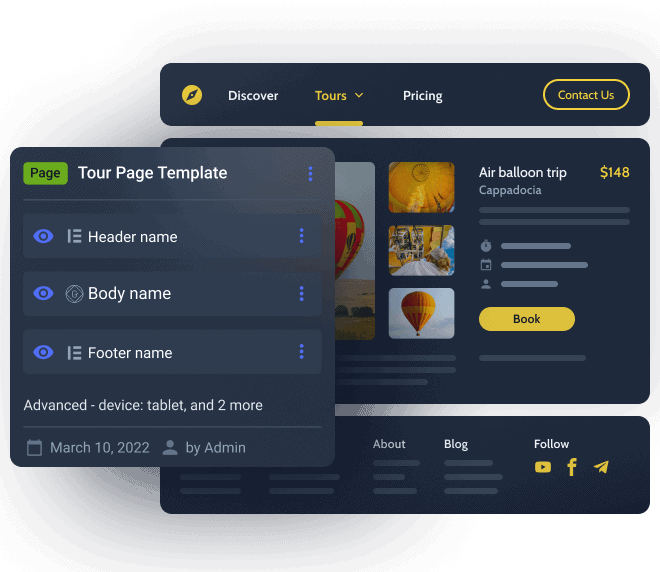
16. JetThemeCore — WordPress theme and template builder
Regular price: $55/year. Official JetThemeCore page.
JetThemeCore manages site-wide WordPress templates visually. It can build and assign headers, footers, single templates, archives, WooCommerce areas, search results, and 404 layouts with conditions.
Main features
- Theme Builder dashboard with tree view
- Header, footer, single, archive, search, 404, and WooCommerce templates
- Include/exclude rules
- Device, user-role, and URL-parameter conditions
- Elementor and Gutenberg editing
- Compatibility with many standard WordPress themes
Pros
- Centralizes template hierarchy and assignment rules.
- Useful when a site needs different templates for post types, user roles, devices, or archives.
Limitations
- Dynamic data structures are normally created with JetEngine or another custom-field plugin.
- Running multiple theme builders at the same time requires careful condition management.
Free vs paid: JetThemeCore is paid.
17. JetBooking — date-range booking for hotels, rentals, and properties
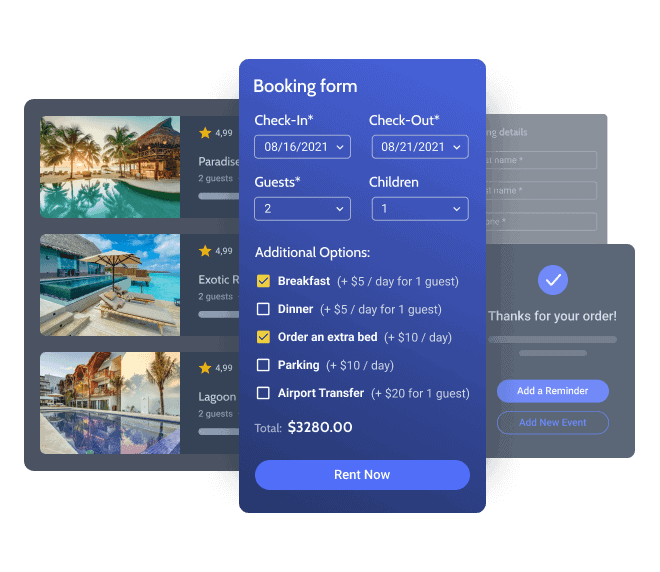
Regular price: $75/year. Official JetBooking page.
JetBooking is for reservations based on dates or date ranges. It is suited to hotels, apartments, vacation rentals, rental inventory, and other resources that are booked for one or more days.
Main features
- Availability calendar and date-range picker
- General schedules and booking restrictions
- Price settings and property management
- Booking dashboard
- WooCommerce-connected booking workflows
- Elementor, Gutenberg, and Bricks compatibility
Pros
- Designed specifically for booking resources across days or date ranges.
- Can connect listings, forms, templates, and payment flows inside the Crocoblock stack.
Limitations
- Crocoblock’s own preparation guide uses JetEngine, JetFormBuilder, and JetThemeCore (or an alternative theme builder) in a full booking setup.
- Hourly service scheduling is the separate JetAppointment use case.
Free vs paid: JetBooking is paid.
18. JetPopup — popup builder with triggers and visibility conditions
Regular price: $43/year. Official JetPopup page.
JetPopup is a drag-and-drop popup builder for Elementor and the WordPress block editor. It controls popup content, placement, animations, trigger events, and conditions.
Main features
- Build popups from scratch or from templates
- Open on page load, exit intent, scrolling, inactivity, click, hover, or scheduled date/time
- Include/exclude conditions by page, post type, role, device, URL parameter, and more
- Dynamic popups connected to JetEngine listings and queries
- Action buttons for closing, linking, or suppressing future display
- Multiple animation styles
Pros
- Combines design, triggers, and display logic in one plugin.
- Can create dynamic popups tied to Crocoblock data.
Limitations
- It is a popup builder, not a complete email marketing or CRM platform.
Free vs paid: JetPopup is paid.

19. JetReviews — reviews, comments, ratings, and review statistics
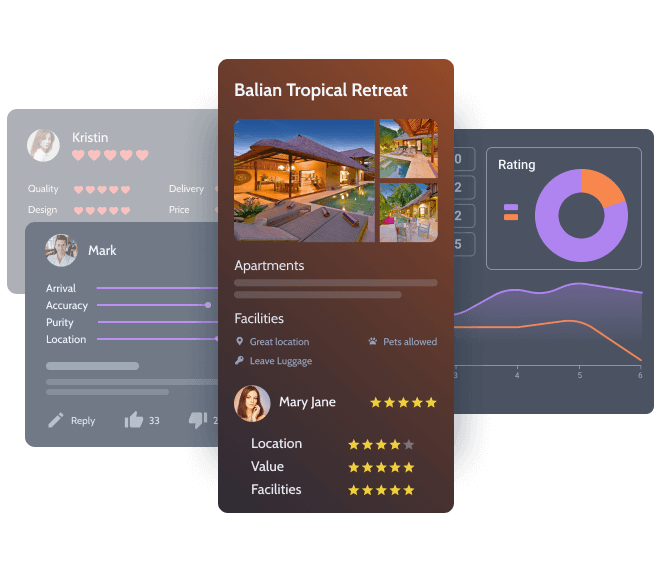
Regular price: $43/year. Official JetReviews page.
JetReviews creates structured review and rating systems for posts, products, listings, users, rentals, and other custom content. It supports Elementor and Gutenberg, with additional documented use cases in Bricks.
Main features
- Custom review types
- Dynamic and static reviews
- Ratings, average scores, and review counts
- Comments, likes/dislikes, and review lists
- Review statistics
- Admin notifications and prohibited-word moderation
- Enable reviews for custom post types
Pros
- Works with custom content instead of limiting reviews to WooCommerce products.
- Provides both display and moderation tools.
Limitations
- A review system still requires site policies and moderation rules; the plugin provides the mechanism, not the policy.
Free vs paid: JetReviews is paid.
20. JetCompareWishlist — WooCommerce product comparison and wishlists
Regular price: $43/year. Official JetCompareWishlist page.
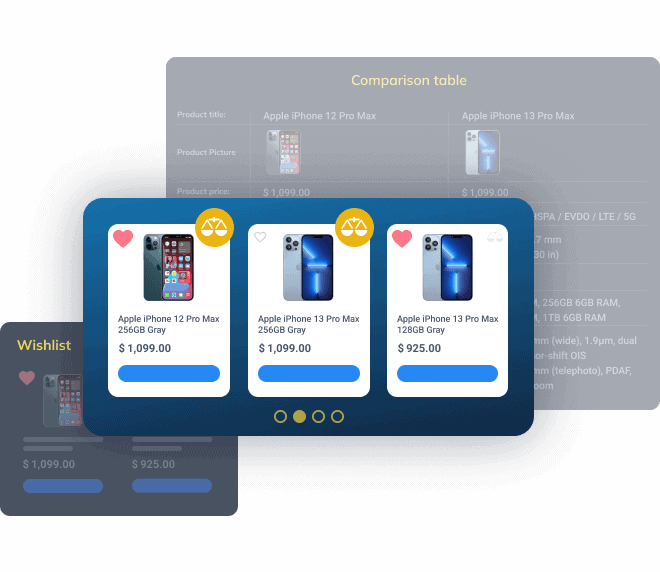
JetCompareWishlist adds product comparison and wishlist functions to WooCommerce. Customers can save products, compare chosen attributes, and see how often items have been added to lists.
Main features
- Product comparison by selected data
- Wishlist lists
- Compare and Wishlist buttons
- Compare/Wishlist counters
- Elementor widgets for displaying saved products and comparison tables
Pros
- Combines two common ecommerce features in one plugin.
- Useful for technical catalogs where buyers compare specifications.
Limitations
- The plugin is specifically designed around WooCommerce product comparison and saving.
- Large comparison sets still need a mobile-friendly table design.
Free vs paid: JetCompareWishlist is paid.
21. JetFormBuilder — free form builder with optional Pro add-ons
Price: free core. JetFormBuilder Pro starts at $49/year for one site and $129/year for unlimited sites. Official JetFormBuilder site.
JetFormBuilder creates forms in the WordPress block editor and can style/use them in Elementor and Bricks. It covers simple contact forms and more advanced front-end workflows such as registration, post submission, calculations, product ordering, and payments.
Main features
- Contact, multi-step, calculation, quiz, order, application, subscription, and registration forms
- User login, verification, password reset, and profile updates
- Front-end post/CPT/CCT creation and editing
- Conditional fields and conditional actions
- WooCommerce cart/checkout actions
- Stripe and PayPal payment workflows
- PDF generation, file uploads, form records, progress saving, and security controls
Pros
- The free core covers substantial form-building functionality.
- Good fit for dynamic sites that need users to submit or edit content from the front end.
Limitations
- The paid Pro plans are mainly required for the 20 Pro add-ons and advanced integrations.
Free vs paid: Free can be used on unlimited sites with basic updates/support. Pro adds the commercial add-ons plus enhanced support and updates.

22. JetGridBuilder — free visual grids for posts, products, pages, and terms
Price: free. Official JetGridBuilder page.
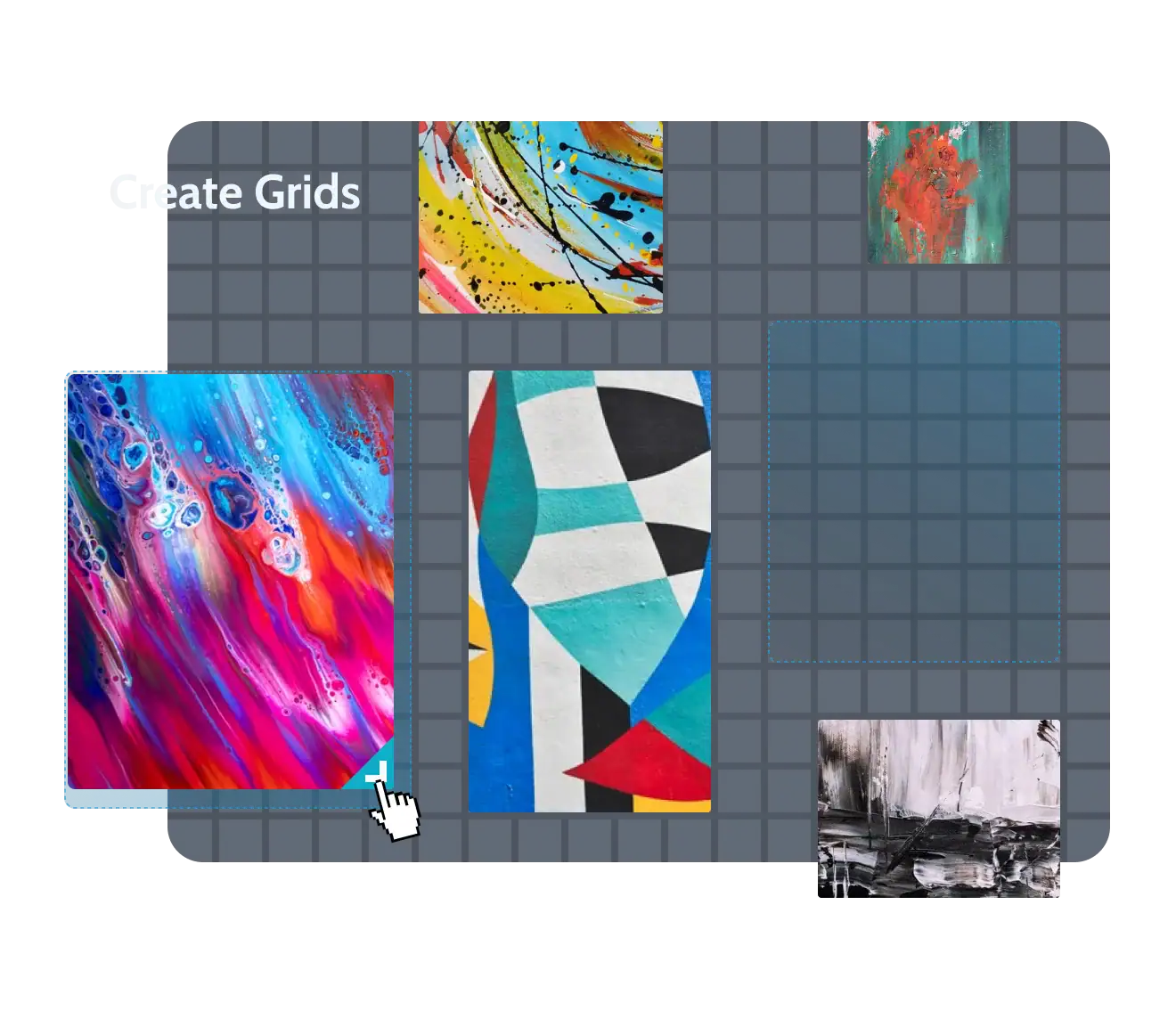
JetGridBuilder creates irregular, resizable grid layouts instead of forcing every content card into the same dimensions. It supports posts, pages, custom post types, WooCommerce products, and taxonomy terms.
Main features
- Drag and resize cards visually
- Custom column count, gaps, position, and order
- Adaptive thumbnails
- Vertical compact layout
- Responsive desktop, tablet, and mobile controls
- Post Grid Builder and Terms Grid Builder
- Integrations with ACF, Pods, JetEngine, WooCommerce, Meta Box, and Toolset
Pros
- Crocoblock explicitly lists it as 100% free.
- Useful for editorial and portfolio-style grids that need different card sizes.
Limitations
- Advanced dynamic attributes and richer card data can require a separate dynamic-content plugin such as JetEngine.
Free vs paid: JetGridBuilder itself is free; paid JetPlugins can extend the data used inside its grids.
23. JetStyleManager — free styling controls for Gutenberg blocks
Price: free. Official JetStyleManager page.
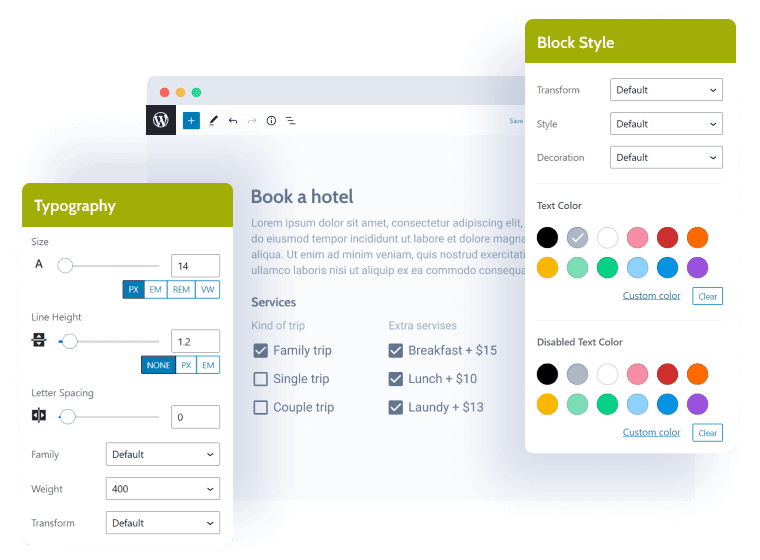
JetStyleManager extends the visual styling controls available to Gutenberg blocks. It can also provide style controls to compatible JetPlugins and custom blocks.
Main features
- Border, margin, padding, dimensions, alignment, and color controls
- Typography controls for family, size, weight, line height, letter spacing, and style
- Responsive styling controls
- 10+ control types for plugin developers
- Styling integration with Gutenberg-compatible JetPlugins
Pros
- 100% free according to Crocoblock.
- Useful when a Gutenberg block exposes functionality but needs more visual controls.
Limitations
- It is specifically a Gutenberg styling layer, not a page builder or dynamic-data plugin.
Free vs paid: JetStyleManager is free; there is no separate paid JetStyleManager tier on the current official page.
Which Crocoblock plugins are free?
Three products in the current 23-plugin list have a free path:
- JetGridBuilder — Crocoblock labels it 100% free.
- JetStyleManager — Crocoblock labels it 100% free.
- JetFormBuilder — the core plugin is free, while Pro plans add 20 commercial add-ons and premium support.
The remaining plugins in this guide are sold as paid standalone products or are included in Crocoblock bundle plans.
Which Crocoblock plugins are best for WooCommerce?
The suite has several ecommerce-focused products. JetWooBuilder controls WooCommerce templates; JetProductGallery handles product imagery and video; JetProductTables turns catalogs into compact tables; JetCompareWishlist adds comparison and wishlist features; JetSmartFilters adds faceted filtering; JetSearch improves product search; and JetAppointment or JetBooking can connect paid reservations to WooCommerce checkout depending on the booking model.
Which Crocoblock plugins are used for dynamic WordPress websites?
JetEngine is the core dynamic-content plugin. It creates the custom data structures, queries, listings, and relationships. JetSmartFilters helps users narrow that data, JetFormBuilder lets users submit or update data from the front end, JetThemeCore controls where templates appear, and JetSearch provides live search. These plugins are often combined for directories, marketplaces, real-estate sites, membership portals, and other data-heavy WordPress projects.
Crocoblock All-Inclusive vs buying plugins separately
A single plugin can be the more direct option when a project only needs one function, such as JetMenu or JetSearch. The All-Inclusive plans make more sense when several JetPlugins are required together. Crocoblock currently lists All-Inclusive at $199/year for one site, All-Inclusive Plus at $249/year, and Lifetime at $999 one time. Always check the current checkout page because Crocoblock runs temporary discounts and updates its bundle contents.
Frequently asked questions about Crocoblock
What is Crocoblock and what does it offer?
Crocoblock is a WordPress toolkit built around the JetPlugins family. The plugins cover dynamic content, filtering, forms, WooCommerce design, booking, appointments, menus, search, reviews, popups, messaging, and AI-search controls.
Is Crocoblock free?
The full Crocoblock suite is not free, but there are free products. JetGridBuilder and JetStyleManager are listed as 100% free, and JetFormBuilder has a free core plugin. Most other JetPlugins require a paid license.
What is JetEngine?
JetEngine is Crocoblock’s dynamic-content plugin. It can create custom post types, custom content types, taxonomies, meta fields, relationships, queries, listing templates, user profiles, dynamic tables, charts, maps, and other structured WordPress content.
Do I need Elementor Pro to use Crocoblock?
No. Crocoblock’s official FAQ states that Elementor Pro is not required. All JetPlugins are compatible with Elementor, while selected plugins also support Gutenberg and Bricks.
Does Crocoblock work with Gutenberg and Bricks?
Yes, but support varies by plugin. Crocoblock currently states that 14 JetPlugins support Gutenberg. Bricks support is available for selected plugins, including JetEngine, JetSmartFilters, JetSearch, JetFormBuilder, JetAppointment, and JetBooking.
Can I buy Crocoblock plugins separately?
Yes. Crocoblock sells many JetPlugins as standalone annual licenses and also offers bundle plans. The regular standalone prices in this guide range from $43 to $75 per year for the paid plugins listed individually.
What are the Crocoblock pricing options?
Crocoblock currently lists standalone plugin licenses, All-Inclusive at $199/year for one site, All-Inclusive Plus at $249/year, and a Lifetime plan at $999 one time. JetFormBuilder has separate Free and Pro pricing, with Site PRO starting at $49/year.
How can I cancel a Crocoblock subscription?
Crocoblock says an active subscription can be canceled from the Purchase Details area of the customer account. Open the subscription details, choose Manage, and select Cancel. Canceling stops automatic renewal. The site you built continues to work, but after the license expires you no longer receive product updates or active-license support.
What is the difference between JetBooking and JetAppointment?
JetBooking is designed for date-based or date-range reservations such as hotels and rentals. JetAppointment is designed for hourly services where a customer selects a service, provider, date, and time slot.
Is Crocoblock good for WooCommerce?
Crocoblock includes several WooCommerce-specific tools, including JetWooBuilder, JetProductGallery, JetProductTables, and JetCompareWishlist. JetSearch and JetSmartFilters also include WooCommerce search and filtering features.
Is Crocoblock worth it?
That depends on the project. If a site needs only one focused feature, buying one JetPlugin may be enough. If it needs dynamic data, filters, forms, WooCommerce templates, booking, and other connected functions, a bundle can reduce the number of unrelated plugin vendors used in the same project. The practical choice should be based on the exact features and builder compatibility required.
Final summary
Crocoblock is best understood as a modular WordPress toolkit rather than one plugin. JetEngine handles dynamic structures, JetSmartFilters and JetSearch help visitors find content, JetFormBuilder handles forms and front-end data entry, JetBooking and JetAppointment manage two different booking models, the WooCommerce plugins reshape store experiences, and the design plugins handle menus, templates, tabs, visual effects, galleries, and layouts.
Before choosing a Crocoblock plugin, check the exact builder support, required companion plugins, license term, and the current developer price. This guide uses official Crocoblock product pages, Crocoblock documentation, the Crocoblock FAQ, and the official JetFormBuilder pricing page as its factual basis.