
20 Best WordPress Form Plugins Compared (2026 Guide)


The best WordPress form plugins solve different problems. Gravity Forms is a strong candidate for complex business intake, Formidable Forms for calculators and data-driven applications, WPForms for approachable editing, and Fluent Forms for a useful free foundation with room to grow. Your best choice depends on what must happen after someone clicks Submit.
This guide compares 20 options for contact requests, registrations, surveys, conversational questionnaires, file uploads and payment-related workflows. It explains the features that matter, the limits of free editions, paid-plan differences and practical reasons to choose one tool over another. Use the comparison table to build a shortlist, then read the relevant reviews and implementation guidance.
Reviewed: 18 October 2026. Prices are in USD and refer to developer-direct offers unless explicitly stated otherwise. Promotions, renewals, site allowances and feature bundles can change; the linked official pricing pages remain the purchase reference. Taxes and external service charges may be additional.
Image note: the illustrations below explain example form workflows. They are conceptual visuals, not screenshots of the plugins’ current interfaces.
Best WordPress form plugins: quick comparison
The free-edition column describes whether a free starting point exists, not whether every feature in this guide is free. The price column is a purchasing snapshot; read the review for important tier and renewal differences.
| Plugin or widget | Useful starting point for | Free edition | Price reference |
|---|---|---|---|
| 1. Gravity Forms | Complex business intake and developer-led projects | No free core; demo available | From $59/year |
| 2. Formidable Forms | Calculators, directories and applications built from entries | Yes | Basic $39.50 introductory; $79 renewal |
| 3. WPForms | Owners who want an approachable visual editor | Yes, WPForms Lite | Basic $49.50 introductory; $99 renewal |
| 4. Fluent Forms | A useful free foundation with a broad Pro feature set | Yes | From $63 introductory/year; regular $79 |
| 5. WS Form | Detailed layouts, rules and technical customization | Yes, WS Form Lite | Personal from $59/year |
| 6. Ninja Forms | A free core with optional extensions and bundles | Yes | Plus $59.40 introductory; $99 renewal |
| 7. Forminator | Free forms, polls and quizzes in one toolkit | Yes | Free core; paid Pro options |
| 8. JetFormBuilder | Block-editor forms connected to site content | Yes | Paid options from $49/year |
| 9. Everest Forms | Visual business forms with paid feature bundles | Yes | Personal $49 introductory/year; regular $69 |
| 10. SureForms | Assisted form creation and a modern editing workflow | Yes | Solo $59 introductory/year; $69 renewal |
| 11. Bit Form | Budget-conscious forms with advanced configuration | Yes | Single-site Pro advertised at $25/year |
| 12. MetForm | Visually designed forms on Elementor websites | Yes; Elementor required | Personal regular price $49/year; offers vary |
| 13. Quill Forms | Conversational questionnaires and interactive enquiries | Yes | WordPress Basic from $99/year |
| 14. Quform | Styled premium forms and defined intake projects | No free core | Advertised purchase price $34 |
| 15. ARForms | Visually styled forms and popup-based enquiries | Yes, Lite | Pro advertised at $39 |
| 16. Happyforms | Everyday enquiries with approachable administration | Yes | Starter from $89/year |
| 17. FormCraft | Design-focused forms with popup or slide-in placement | Premium product reviewed here | Check current marketplace offer |
| 18. Kali Forms | Defined business forms with tiered advanced features | Yes | Starter $39 introductory; $78 renewal |
| 19. Contact Form 7 | Free contact forms for owners comfortable with markup | Yes | Free core; optional third-party costs vary |
| 20. Elementor Pro Form Widget | Lead capture on sites already using Elementor | No; requires a suitable paid Elementor plan | Included in eligible paid plans |
How we compared these WordPress form builders
This is a research-based editorial guide. We checked official product pages, documentation and pricing tables, and reviewed established comparison articles to identify the questions buyers need answered. The selection covers widely used general builders and more specialized alternatives. The numbering helps navigation; it is not a laboratory performance ranking.
We compared editing style, practical use cases, free-versus-paid boundaries, integrations, submission handling, dependencies and ownership cost. We have not installed and benchmarked all 20 products for this article, so we do not claim measured speed, conversion improvements or a universal security winner. The business scenarios are illustrative examples to help readers evaluate a fit, not reported customer results.
Every plugin section includes links to its official information. The original images are conceptual illustrations of use cases, not screenshots of the products. Actual interfaces and available features vary by edition and configuration. Elementor’s entry is a widget within a page builder, and MetForm depends on Elementor; those distinctions are part of the comparison.
The 20 best WordPress form plugins: detailed reviews
1. Gravity Forms: complex business intake and developer-led projects
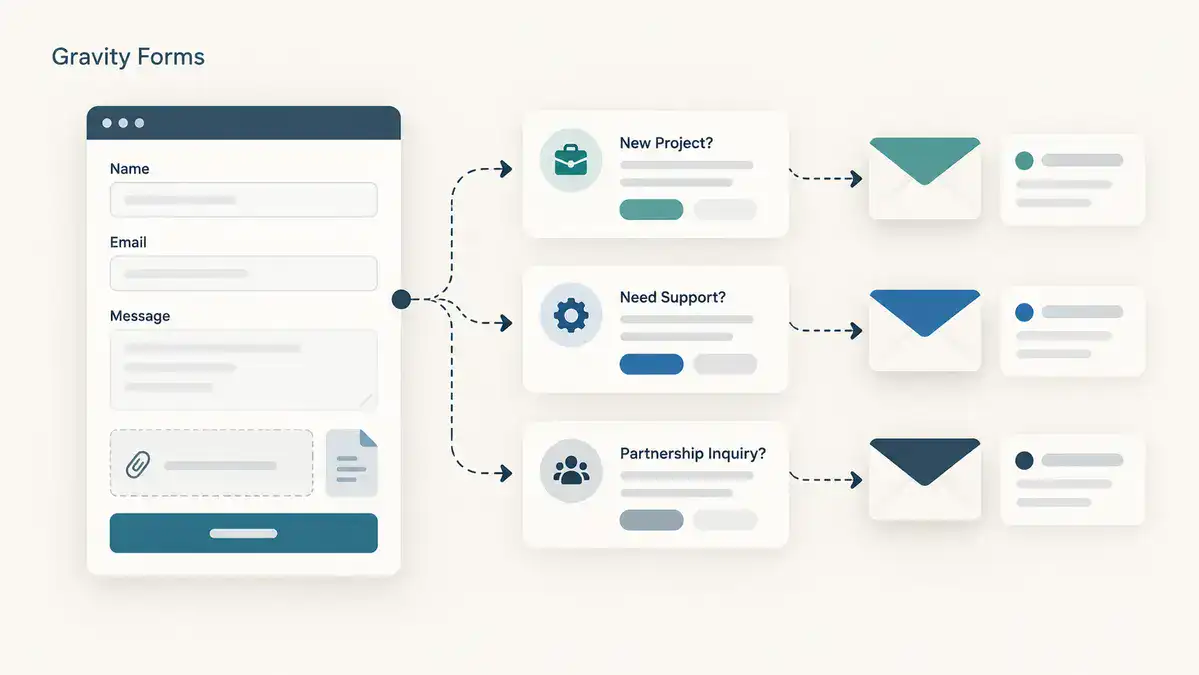
Gravity Forms is a strong starting point for organizations that expect a form to do more than forward a message. Its builder supports conditional questions, multi-page layouts and organized entry handling, while its integration ecosystem gives developers several ways to connect intake with other business systems. The appeal is the range of workflows that can be assembled around the form, rather than a promise that every possible workflow is included in the base license.
Features, editions and pricing
The license tiers make a material difference. Basic covers one site at $59 per year. Pro costs $159 for three sites and includes payment connections such as Stripe, PayPal Checkout and Square. Elite costs $259 for unlimited sites and includes capabilities such as user registration, surveys, quizzes, signatures, partial entries and webhooks through the relevant add-ons. Check the exact add-on list for the tier you intend to purchase.
A practical way to evaluate Gravity Forms
Imagine an agency collecting project enquiries for three services: website design, ongoing support and migrations. The useful part of the form is the decision tree. A support customer should not answer migration questions, and a new design enquiry should reach the person who qualifies new work. Write those routes down before building. This is the kind of structured intake for which Gravity Forms deserves consideration: the form becomes a consistent front door to an existing business process.
The distinction between collecting information and managing work afterward matters. An entry is not automatically a project, approval queue or customer portal. If the brief includes several staff approvals, front-end entry views or a searchable directory, identify which parts require separate products or custom development. Estimate the complete setup instead of treating the base license as the finished solution. A developer can then maintain a clear boundary between the form, the integration and the destination system.
For a practical evaluation, make a small prototype containing one conditional section, one calculation and two notification routes. Submit an incomplete enquiry, a valid enquiry and a reply from an existing customer. Check that the stored entry makes sense without consulting the original screen. If staff cannot interpret the result, changing field labels or notification summaries will help more than adding another extension. Choose this option when its extensibility matches an ongoing requirement and someone will own the implementation.
Sources: Official Gravity Forms information · Current plans and pricing.
2. Formidable Forms: calculators, directories and applications built from entries

Formidable Forms is distinctive because the submitted information can be the beginning of an application rather than the end of a contact request. Its calculation and structured-data capabilities make it relevant to estimates, directories and projects that display selected entry information back on the website. The free version offers a starting point, while paid functionality expands the kinds of forms and data-driven experiences you can build.
Features, editions and pricing
At the time of review, Basic is advertised at $39.50 for the first year, renewing at $79. It includes features such as calculations, repeaters, file uploads and multi-page forms. Plus is $99.50 introductory, renewing at $199, and already includes Views; it is inaccurate to assume Views always requires Business. Business is $199.50 introductory, renewing at $399, with additional application, registration, survey and integration tools. Elite is $299.50 introductory, renewing at $599.
A practical way to evaluate Formidable Forms
A useful way to evaluate Formidable is to start with the information that should exist after submission. For example, a training provider might want an application form and an approved participant directory. These are two different interfaces over related information. Decide which fields belong in the private application, which may appear publicly and who approves a record before publication. That design exercise reveals whether you need a straightforward contact tool or a form-based application.
Calculators deserve the same care. A quotation form can provide an estimate, but an attractive calculated total is not a complete pricing policy. Document minimum charges, optional items, rounding and what happens when a visitor changes an earlier answer. Present the result as an estimate when a staff member still needs to review it. Test unusual combinations such as an empty quantity, a large quantity or two options that should never be purchased together.
The main tradeoff is responsibility. A richer data model can save repetitive administration, but it also gives the owner more decisions about permissions, editing and presentation. Before buying, sketch the required screens and compare them with the exact plan’s capabilities. If the project needs only a name, email address and message, a smaller tool may be easier to hand over. Formidable becomes more compelling when organized submissions have an ongoing purpose beyond an inbox notification.
Sources: Official Formidable Forms information · Current plans and pricing.
3. WPForms: owners who want an approachable visual editor
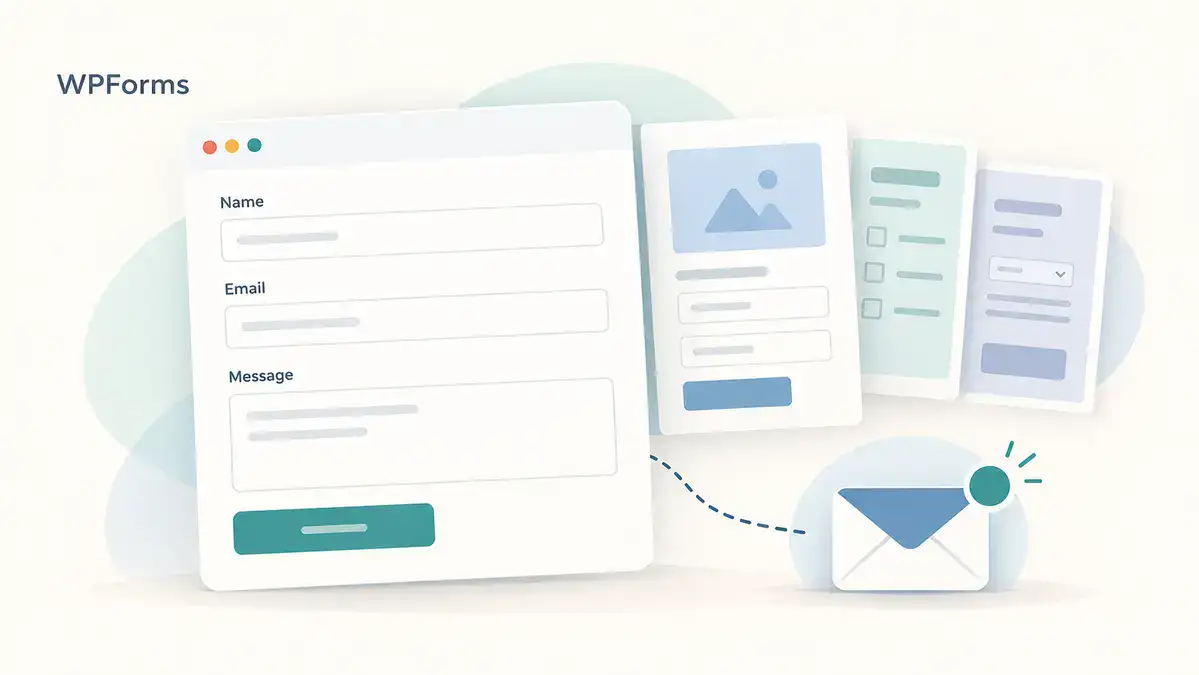
WPForms is a practical candidate for business owners who want to create and revise forms through a visual interface. Templates and a drag-and-drop builder help establish the structure, and the product range extends from ordinary contact requests to more involved surveys, registrations and payment-related workflows. The important distinction is between the overall product’s capabilities and the features actually included in a particular edition.
Features, editions and pricing
WPForms Lite is the free starting point. Paid Basic is advertised at $49.50 for the first year and $99 on renewal for one site, with entry management, conditional logic, uploads and multi-page layouts among its features. Plus is $99.50 introductory and $199 on renewal for three sites. Pro is $199.50 introductory and $399 on renewal for five, adding features such as surveys, user registration, saved progress, calculations and additional automation. Elite is $299.50 introductory and $599 on renewal for unlimited sites.
A practical way to evaluate WPForms
For a small service business, the best starting point is often a short enquiry form that the owner can maintain without calling a developer. Begin with the visitor’s goal: request an appointment, ask for a quote or discuss a problem. A template helps establish the layout, but its sample fields are suggestions. Remove questions that nobody uses when responding. A concise form with a clear next step is usually a better operational choice than a long template left unchanged.
The buying decision should follow the next twelve months of work. A basic contact page and a survey campaign have different requirements, even if both use the same builder. List any need for saved progress, account registration, abandoned-entry recovery or calculated prices, then check the relevant tier. Do not upgrade solely because a higher plan has a longer feature list. Equally, do not buy the cheapest tier expecting every feature shown on the overall marketing website.
During a trial or demo evaluation, ask the person who will manage enquiries to change a field label and a notification recipient. Then have them find and export a sample response using the edition being considered. This exposes handover friction early. Ease of use includes managing entries after launch, not just dragging fields onto a canvas. WPForms is a sensible shortlist candidate when that everyday editing experience carries more weight than an extensively customized development workflow.
Sources: Official WPForms information · Current plans and pricing.
4. Fluent Forms: a useful free foundation with a broad Pro feature set
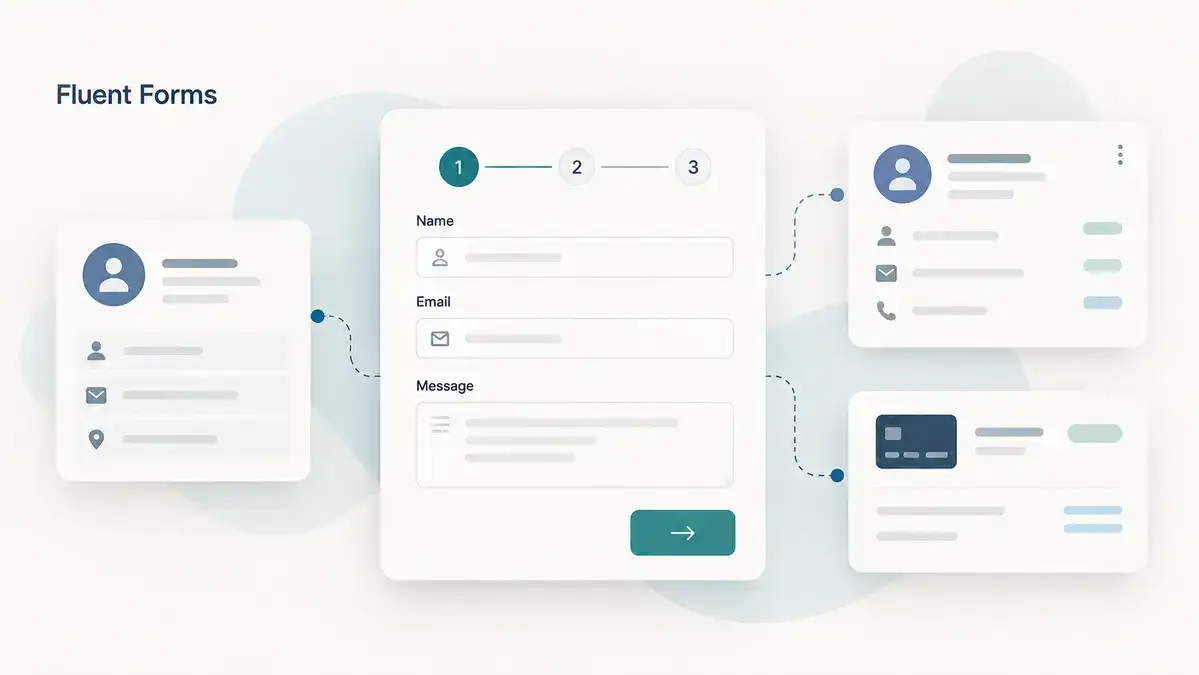
Fluent Forms combines a useful free edition with a paid feature set that spans more advanced data collection and integrations. Conditional logic and entry management are reasons to evaluate the free version of Fluent Forms before assuming a basic business form requires a subscription. The broader product supports workflows involving multiple steps, conversational presentation, calculations and connections to external services, with availability depending on the feature and edition.
Features, editions and pricing
The current Pro annual offers are $63 for one site, $127 for five sites and $239 for unlimited sites. The corresponding regular annual figures are $79, $159 and $299. The paid plans share the Pro feature set, with the site allowance being a central difference, and lifetime options are also offered. Check the current comparison for the exact advanced field, payment or integration required; a broad product description is not a substitute for that check.
A practical way to evaluate Fluent Forms
Consider a consultancy that collects both brief enquiries and detailed project specifications. It could start with a short form for new visitors and use a separate, longer intake after a conversation. This avoids making every prospect complete the full onboarding questionnaire. The same form system can support both stages, but the content and confirmation messages should reflect where the visitor is in the relationship.
A broad Pro feature set is useful when requirements change, yet it is still worth checking each integration in the real workflow. Sending a name and email address to a customer database is simpler than updating an existing contact, assigning an owner and mapping custom fields. Write down exactly what must be created or changed at the destination. This turns a vague requirement such as ‘connect the CRM’ into something you can verify before committing the site to it.
For an agency, site allowance and ownership are as important as feature availability. Decide whether the client will own a separate license or receive updates through a managed service. Record who receives renewal notices and who can change connected accounts. That arrangement should remain understandable when staff or suppliers change. Fluent Forms is worth considering when the free edition covers an immediate need and the paid feature set provides a clear route to more involved forms without a different tool for every new requirement.
Sources: Official Fluent Forms information · Current plans and pricing.
5. WS Form: detailed layouts, rules and technical customization

WS Form is worth a close look when the form specification is detailed and someone technical will maintain it. Layout control, conditional behavior, calculations and debugging tools give it a different emphasis from a builder chosen only for a quick template. It can be a useful foundation for complex intake, but its depth should be matched to a real requirement rather than treated as an automatic advantage for every small website.
Features, editions and pricing
WS Form Lite provides a free entry point. The paid Personal plan is $59 per year for one site and includes the core Pro design and logic capabilities, but it does not include every premium integration. Freelance is $149 per year for five sites and includes a larger integration bundle; Agency is $249 per year for unlimited sites with a broader collection. The pricing page lists 20 integrations for Freelance and 58 for Agency at the review date.
A practical way to evaluate WS Form
WS Form is particularly worth investigating when the specification contains detailed behavior rather than a simple list of fields. A supplier application, for example, might require different sections for companies and individuals, calculations based on selected services and a carefully controlled layout at several screen sizes. Convert that specification into small rules that can be reviewed independently. A large collection of overlapping conditions becomes difficult to maintain in any builder.
The useful question for a technical team is whether the editor makes that complexity visible. Can the next maintainer understand why a field appears, how a calculated value is produced and which action runs after submission? Keep business rules together in a short implementation document. It should explain the intended behavior, while the form configuration carries out those rules. This reduces dependence on the person who originally built the page.
Plan selection needs particular attention because integrations differ between tiers. A developer who wants the design and logic tools may not need the agency bundle, while a business relying on a specific payment or data connection may. Build a miniature version of the hardest requirement first. If that works cleanly and the appropriate integration is included, expand the form. If the project is only a basic contact page, its technical depth may be more than the owner needs.
Sources: Official WS Form information · Current plans and pricing.
6. Ninja Forms: a free core with optional extensions and bundles

Ninja Forms uses a free-core and extension model that can suit projects growing in stages. The current free offering includes unlimited submissions, calculations and several spam-protection options. More involved behavior is added through paid bundles or individual extensions. This makes the full configuration, rather than the name of the core plugin, the correct unit to compare with other products.
Features, editions and pricing
The Plus offer is currently $59.40 for the first year, renewing at $99, for three sites. It brings features such as conditional logic, uploads and multi-step layouts. Pro is $119.40 introductory, renewing at $199, for twenty sites, with additional payment, user-management and automation capabilities. Elite is $299.40 introductory, renewing at $499, for unlimited sites and the wider add-on collection. Individual add-ons remain another purchasing route.
A practical way to evaluate Ninja Forms
The modular approach is easiest to assess with a written feature budget. Suppose a workshop initially needs a quote request with a few calculated quantities. Later it may need visitors to attach drawings, save an unfinished application or pay a deposit. Price those stages separately. The ability to begin with the core does not mean every later requirement is free, and an individual add-on may or may not be cheaper than a bundle once several features are required.
Also distinguish a calculation shown to the visitor from a transaction completed by a payment provider. A displayed estimate does not prove that the correct amount was charged or that a payment succeeded. In a prototype, verify the destination amount, confirmation message and response available to staff. The same principle applies to integrations: a successful form submission and a successful transfer to another application are separate outcomes.
For teams maintaining several sites, standardize the set of extensions and keep a record of what each site actually uses. Unnecessary add-ons complicate updates and handovers. A modular system works best when somebody understands the assembled configuration. Ninja Forms is a useful candidate for owners who like its editing workflow and can describe their required extensions precisely, rather than assuming that a single generic ‘Pro’ label covers the entire project.
Sources: Official Ninja Forms information · Current plans and pricing.
7. Forminator: free forms, polls and quizzes in one toolkit

Forminator stands out as a free starting point for several kinds of audience interaction. Its scope includes conventional forms, polls and quizzes, as well as calculations and one-time payment use cases. That combination makes it relevant to organizations collecting feedback or running small campaigns alongside a contact page. It is worth checking the free version against the actual brief before assuming that a broad interaction toolkit must be paid.
Features, editions and pricing
The distinction between free and Pro becomes important for particular advanced workflows. The official documentation identifies the Stripe subscriptions add-on as a Pro feature. Do not generalize the availability of one-time payments into a claim that every recurring-payment arrangement is free. Other premium capabilities also need to be checked in the current edition comparison. Because offers and bundles can change, use the live Pro page for the current purchase price.
A practical way to evaluate Forminator
A community organization might need three different interactions: a volunteer application, a short opinion poll and a knowledge quiz for an event. That is a good reason to evaluate a tool whose scope includes more than conventional contact forms. The questions still need separate editorial treatment. An application collects actionable information; a poll summarizes preferences; a quiz needs clear answer feedback. Putting all three under one administrative tool does not make their objectives interchangeable.
For payments, map the full experience before relying on a free feature. Decide whether the amount is fixed or chosen by the visitor, whether payment happens once or repeatedly, and what staff should do when it fails. A recurring contribution is a different operational requirement from a one-time event fee. Check the appropriate edition and integration for that exact arrangement, and include payment-provider charges in the budget.
The strongest evaluation is a realistic small project. Build the volunteer form with the actual questions, submit a sample poll response and review how the quiz results will be used. Ask whether the owner can manage each result without exporting everything to another tool. Forminator deserves a place on the shortlist when a useful free foundation and several interaction types matter more than choosing the most familiar brand name.
Sources: Official Forminator information · Current plans and pricing · Relevant documentation.
8. JetFormBuilder: block-editor forms connected to site content

JetFormBuilder takes a block-editor approach to form creation. Its relevance extends beyond a contact page to structured workflows that create or update website content and user information. Conditional logic, calculations and post-submission actions make it a candidate for directory submissions, applications and other projects where a form interacts with a WordPress content model. The free foundation is substantial, while Pro add-ons extend selected payment and integration capabilities.
Features, editions and pricing
Paid offers start at $49 per year at the review date. The exact bundle matters more than the starting figure if the project depends on a particular gateway or action. JetFormBuilder should also be distinguished from the rest of the Crocoblock ecosystem: buying a form plan does not automatically provide every listing, filtering or dynamic-content tool used in a demonstration website.
A practical way to evaluate JetFormBuilder
Think of JetFormBuilder as a candidate for sites where a visitor’s submission should become structured website content. An example is a local directory in which a business submits a listing for review. The central decisions are the post type, field mapping, moderation state and permission to edit an existing record. The visual form is only the public face of that process. Define the content model before arranging the fields.
Do not assume that every feature demonstrated in a larger Crocoblock project belongs to this plugin alone. Dynamic listings, relationships, filtering and front-end displays may involve other components. Make a component list for the proposed website and identify which product owns each responsibility. This avoids purchasing a form add-on and discovering later that the directory display or data relationships require additional tools.
For a prototype, submit one new listing, reject an incomplete submission and update an approved record using the intended user role. Check that a visitor cannot alter information that should remain private or administrative. These are practical acceptance criteria for the project, not claims that the plugin handles every permission automatically. JetFormBuilder is most attractive when the team is comfortable working in the block editor and wants forms to participate in a structured WordPress publishing workflow.
Sources: Official JetFormBuilder information · Current plans and pricing.
9. Everest Forms: visual business forms with paid feature bundles

Everest Forms offers a visual route from ordinary enquiries to more involved business forms. Its free version is useful for evaluating the editing approach, while the paid product adds a wider collection of fields and workflows. The current commercial structure is notable because the paid plans advertise the full feature and add-on set, with site allowance as a major distinction. That makes it worth comparing when a site needs several premium capabilities together.
Features, editions and pricing
Personal is currently advertised at $49 per year against a regular $69 for one site. The five-site offer is $99 against $149, and the unlimited-site offer is $199 against $299. Lifetime choices are also listed. These are developer-direct figures at the review date, and the purchase page should confirm the current offer, renewal terms and entitlement. Do not carry assumptions from an older plan table into a new purchase.
A practical way to evaluate Everest Forms
Everest Forms is a reasonable option to examine when an owner wants an approachable builder with room for more involved intake later. A local course provider, for example, could use a short general enquiry and a more detailed enrolment request. Keep the two forms separate when the second requires information that casual visitors cannot yet provide. A helpful builder should support the process you choose, rather than encourage you to collect every available field.
The current paid-plan structure makes licensed site count an important comparison point, but feature inclusion should still be verified on the purchase page. A plan containing an add-on does not automatically configure its connection. The owner will still need the destination account, correct mapping and a way to monitor responses. Include those setup tasks when comparing the practical cost with another plugin.
Before settling on a design, let the person handling enquiries read the stored sample entry and the notification email. They should be able to tell which course the visitor wants and what action to take next. If those details are buried in a long message, improve the field order and summary. Choose Everest when its editor and available extensions fit the team’s working habits, and compare annual and lifetime choices against a realistic maintenance horizon rather than an assumed forever project.
Sources: Official Everest Forms information · Current plans and pricing.
10. SureForms: assisted form creation and a modern editing workflow

SureForms combines a WordPress-oriented editing experience with AI-assisted form creation. The assistance can produce a starting structure from a description, but the business still owns the questions, labels and resulting workflow. Its appeal is reducing the effort of beginning a form while keeping a path to more advanced paid capabilities. The generated structure should be reviewed with the same care as a manually assembled template.
Features, editions and pricing
The current paid plans are Solo, Team and Agency. Solo is $59 introductory, renewing at $69, for one site. Team is $149 introductory, renewing at $179, for ten sites. Agency is $229 introductory, renewing at $249, for up to 1,000 sites. The plans share the paid feature set, and lifetime offers are available. Older references to different plan names should not be used as a purchasing guide.
A practical way to evaluate SureForms
AI-assisted form creation is best treated as a first draft of the questions. If you describe a catering enquiry, the generated form may offer a convenient starting layout, but the business still needs to decide whether it requires a date, guest count, venue or dietary information at that stage. Remove questions that do not affect the next decision. Rewrite labels in the language customers use rather than publishing an automatically generated questionnaire unchanged.
For a growing team, a shared paid feature set can make site licensing easier to understand. Even so, validate the specific workflow you plan to use. A payment form needs a clear amount and failure path; a quiz needs understandable results; a webhook needs a destination that accepts the submitted data. A feature name confirms a capability category, not that the entire surrounding process is ready.
A useful evaluation task is to generate a simple draft, then deliberately change its structure and conditional questions. Can the owner still understand and maintain it? That is more valuable than judging the first automated output by appearance alone. SureForms is worth shortlisting for owners attracted to assisted setup and a contemporary WordPress editing experience, provided the final form receives the same factual, usability and delivery checks as one created manually.
Sources: Official SureForms information · Current plans and pricing.
11. Bit Form: budget-conscious forms with advanced configuration

Bit Form is a candidate for owners comparing a broad paid feature set at a relatively modest advertised price. The product includes capabilities around conditional behavior, multiple steps, calculations and integrations, with a free version available for an initial evaluation. Its value depends on whether those capabilities fit the actual project and whether the team is comfortable with its editor and administration.
Features, editions and pricing
The current pricing page advertises single-site Pro at $25 annually or $99 for a lifetime option. Unlimited-site offers are shown at $79 annually or $199 lifetime. The Pro offers include the full Pro feature set rather than requiring a separate purchase for each listed Pro feature. Confirm the exact checkout and renewal terms; a displayed promotional or comparison price should not be interpreted as a guaranteed future renewal amount.
A practical way to evaluate Bit Form
Bit Form is worth examining when budget and a broad configuration toolkit are both priorities. A small business might need a quote calculator, several notification routes and a connection to a spreadsheet. Start by separating essential requirements from attractive extras. A long checklist is less useful than proving that the three operations the business depends on work together in its own setup.
For an integration-heavy project, draw the data mapping before configuring it. Record the field name in the form, the corresponding destination column or property, and the expected format. Dates, multiple selections and calculated values are common places for a seemingly successful transfer to become awkward to use. Test a response with optional fields left empty as well as a fully completed one.
An affordable lifetime option may suit a stable website, but the purchase decision should still include support expectations, update access and the effort required to migrate later. Export a small sample of entries and check whether another person can interpret the columns. Ask who will troubleshoot the connection if the destination service changes its requirements. Choose Bit Form when its actual workflow fits the project and the team is comfortable maintaining it; low purchase cost alone does not establish the best long-term fit.
Sources: Official Bit Form information · Current plans and pricing.
12. MetForm: visually designed forms on Elementor websites

MetForm is built for the Elementor editing environment. That dependency is central to the comparison: it is an additional form-building choice for an Elementor website, not a standalone alternative for a site that wants to avoid a page builder. Its visual approach is attractive when the form’s layout should be designed alongside the rest of a landing page. A free version lets owners assess the workflow before moving to Pro features.
Features, editions and pricing
The official pricing page shows a regular Personal price of $49 per year, with promotional discounts that can vary. Advanced capabilities, including more involved conditional and multi-step workflows, should be checked against the current free-versus-paid comparison. The need for Elementor should also be included in the project’s dependency and maintenance plan, even if the base builder already exists on the site.
A practical way to evaluate MetForm
MetForm makes the most sense as a deliberate part of an Elementor website. For example, a designer may want an enquiry form to follow the spacing, typography and visual rhythm of a landing page without moving to an unrelated editing environment. The dependency is therefore part of the value proposition. On a site that otherwise uses only the block editor, introducing a page builder just for a simple contact form deserves a more careful cost and maintenance comparison.
Design freedom also requires restraint. A visually polished layout can still be difficult to complete if labels disappear, required fields are unclear or a mobile keyboard covers the next action. Start with a straightforward single-column version, then add design details only when they improve comprehension. Test the form inside the actual page template, including any popup or section in which it will appear.
Compare the free and paid editions against the final behavior, especially if the design depends on multiple steps or conditional questions. Do not judge feature availability from a screenshot alone. Build a small example with the same field types and actions, then review a stored or delivered response. MetForm belongs on the shortlist when Elementor is already an intentional part of the site and the owner values editing the form’s presentation in that environment.
Sources: Official MetForm information · Current plans and pricing.
13. Quill Forms: conversational questionnaires and interactive enquiries

Quill Forms specializes in a conversational, question-at-a-time presentation. This is a meaningful design choice for questionnaires, discovery flows and interactive enquiries where a sequence of answers makes sense. It should not be assumed to outperform a conventional form in every situation. The visitor’s need to scan, compare or revise answers can be just as important as the visual appeal of the interaction.
Features, editions and pricing
The WordPress plugin has a free core and paid plans. The current Basic offer is $99 per year for one site, Plus is $199 for five sites, and the highest listed WordPress tier is $399 for unlimited sites. Paid offers include capabilities such as jump logic, calculations and payments. Check the specific edition for the intended workflow, and keep the WordPress plugin separate from any cloud-service pricing when comparing costs.
A practical way to evaluate Quill Forms
A conversational form can work well when each question deserves attention, such as a discovery questionnaire or an interactive recommendation flow. It is less obviously suitable when a visitor wants to scan all requirements before starting. A short three-field contact page does not automatically improve when spread across three screens. Choose the interaction style according to the visitor’s task, not simply because the animation feels modern.
Plan the conversation on paper first. Each branch should have a clear reason, a sensible destination and a path back if the visitor changes an answer. A product recommendation quiz, for example, should explain how the answers influence the result without pretending to offer a scientific assessment. Keep optional questions visibly optional and make the expected commitment understandable at the beginning.
When evaluating Quill Forms, test keyboard navigation and returning to a previous answer as well as the visual transitions. Confirm what happens when a required answer is missing and whether the final summary gives staff enough context. Also make sure you are comparing the WordPress plugin’s plans with other WordPress products, rather than a separate cloud subscription. This is a specialist choice for projects where the question-by-question experience supports the purpose of the form.
Sources: Official Quill Forms information · Current plans and pricing.
14. Quform: styled premium forms and defined intake projects

Quform is a premium visual form builder with an emphasis on layout, styling and practical form administration. Multi-page forms, uploads and entry-management features make it relevant to detailed briefs and enquiries where the form needs a polished presentation. It is a different purchasing proposition from a free core with a long series of optional extensions, although the complete project still needs to be checked against the available capabilities.
Features, editions and pricing
The official website advertises a $34 purchase price at the review date. Read the marketplace license and support terms before treating that figure as the full long-term arrangement. A one-time purchase does not automatically mean unlimited support forever. Also verify any specialized integration needed by the project rather than assuming that a visual form builder includes a native checkout or every marketing connection.
A practical way to evaluate Quform
Quform deserves attention when a project centers on a carefully styled form and the owner prefers the commercial model of a premium plugin sold through a marketplace. A design studio collecting a detailed creative brief is a plausible example. The required behavior may be straightforward, while the page needs orderly groups, clear instructions and file attachments that match the studio’s process.
A one-time purchase should be evaluated alongside the support period, update entitlement and any extra functionality required. It is not automatically equivalent to an unlimited managed service. If the project needs a specific customer database or payment connection, verify that exact integration before choosing the plugin for its layout tools. Avoid treating a general-purpose submission form as an ecommerce checkout merely because it can display a price field.
In a prototype, include the longest field label and largest realistic instruction block. These often reveal layout problems that an attractive demo with short placeholder text does not show. Submit a small permitted attachment and review how the team accesses it. Quform can be a good fit for a defined intake workflow where presentation and entry management matter, while a broader automation platform may be a better starting point for a project dominated by many external connections.
Sources: Official Quform information · Current plans and pricing.
15. ARForms: visually styled forms and popup-based enquiries

ARForms combines visual form styling with capabilities such as conditional behavior, calculations and popup presentation. That makes it relevant to campaigns in which a form appears in more than one context, such as a dedicated quotation page and a shorter callback request. Its free Lite edition and paid Pro offer should be compared against the actual fields and behavior required rather than against a generic list of possibilities.
Features, editions and pricing
The official pricing page advertises Pro at $39 at the review date. Payment gateways can involve separately priced add-ons or a bundle, so the base figure should not be described as including every advertised gateway. Check both the plugin license and any required extensions before estimating the cost of a paid booking, donation or order form.
A practical way to evaluate ARForms
ARForms is worth investigating for campaigns where the form’s presentation and placement are part of the experience. A service business might want a quote request on a dedicated page and a short callback form in a popup. These should not necessarily ask the same questions. The page can carry context and instructions, while the popup should make a modest request that fits the visitor’s current task.
Popup behavior needs a clear purpose. Repeatedly interrupting someone who already dismissed a request can undermine an otherwise useful form. Plan when the invitation appears, what closes it and how it behaves on a small screen. Also provide a straightforward route to the form from the page itself, so the workflow does not depend on a promotional interaction alone.
If the campaign collects payments, identify the particular gateway add-on and its cost before comparing the headline plugin price. Then test the form and gateway as a combined workflow. A successful submission with an unpaid transaction should not be treated like a completed purchase. Choose ARForms when its visual and placement options match a clear campaign need, and keep the broader requirement focused enough that a collection of extra integrations does not obscure the original budget.
Sources: Official ARForms information · Current plans and pricing · Relevant documentation.
16. Happyforms: everyday enquiries with approachable administration

Happyforms is worth evaluating for a straightforward business enquiry workflow where the owner values a comfortable editing and management experience. The product has a free core and paid options, with more advanced features such as conditional behavior, multiple pages, uploads, signatures and integrations available in the paid range. The exact plan matters; the entry-level paid offer should not be assumed to contain every feature advertised for the product.
Features, editions and pricing
The pricing page currently lists Starter at $89 per year for one site. Pro is listed at a regular $159, with a $99 sale offer at the review date, for three sites. Unlimited is $399 per year. Pro is the offer described as including all features, while Starter has a narrower scope. Confirm the current checkout terms because a sale price is not necessarily the future renewal price.
A practical way to evaluate Happyforms
For a small team, a form is often successful when nobody needs to think about its editor very often. The owner should be able to change a question, update a notification recipient and understand the response. Happyforms is worth evaluating from that everyday maintenance perspective. A contact workflow does not become more valuable just because it contains advanced fields that the business never uses.
The plan and cancellation terms are especially relevant when the form is expected to remain editable for years. Put the renewal date and account owner in the website’s handover notes. If a subscription is ending, review export access and the effect on administration before the deadline. Do not assume that every WordPress form product follows the same behavior after cancellation; read this product’s current terms for the actual purchase.
For a practical comparison, create a customer enquiry, export the sample response and ask a colleague to make one small wording change. Then inspect the result on a phone. This simple exercise often reveals more about suitability than a long inventory of available integrations. Happyforms is a candidate when its editing approach fits the owner and the ongoing plan requirements are acceptable. A business seeking the lowest possible long-term cost should compare those terms explicitly with the other options.
Sources: Official Happyforms information · Current plans and pricing.
17. FormCraft: design-focused forms with popup or slide-in placement

FormCraft is a premium WordPress form builder whose appeal includes visual presentation, conditional rules, calculations and campaign-style placement such as popups or slide-ins. It can be relevant to a design-led enquiry experience where the form is part of the page’s composition. This review refers to the WordPress product at formcraft-wp.com, not the separately named hosted FormCrafts service.
Features, editions and pricing
The extension structure needs attention. Multi-page functionality is offered as a paid add-on, and Stripe integration is also a separate add-on. A project requiring those features should compare the complete configuration rather than the base plugin alone. Use the current official purchase link for pricing; an unverified historic marketplace price would be a poor basis for a buying decision.
A practical way to evaluate FormCraft
FormCraft is a specialist candidate for a project that places considerable weight on the form’s visual presentation and campaign placement. A promotion might use a compact slide-in enquiry and a fuller form on a dedicated page. Design the questions around those different contexts. A visitor casually reading an article should not be asked for the same commitment as someone actively requesting a detailed proposal.
Check the extension list before estimating the finished project. In particular, a requirement for multiple pages or a particular payment integration should be priced with the needed add-on. This is also a good moment to verify the product’s identity: the WordPress plugin discussed here is not the similarly named hosted FormCrafts service. Their installation, ownership and billing arrangements should not be mixed in a comparison.
During evaluation, focus on one realistic campaign and its result. Does the completed entry contain the information needed for follow-up? Can the form be located and edited easily after the campaign ends? Does the popup remain usable when text wraps onto more lines? Choose this option when its design workflow matches the project and the required add-ons form a clear, maintainable configuration rather than an open-ended collection of purchases.
Sources: Official FormCraft information · Relevant documentation.
18. Kali Forms: defined business forms with tiered advanced features

Kali Forms provides a free starting point and paid tiers for more involved business forms. It is a useful candidate when the owner wants to compare a straightforward form-building workflow with a clear set of advanced requirements. The paid tiers differ in capabilities and integrations, so a requirement such as a signature, user registration or a spreadsheet connection should be matched to the current plan table.
Features, editions and pricing
The official pricing page advertises Starter at $39 introductory, renewing at $78, for one site. Freelancer is $49 introductory and $98 on renewal, Small Business is $79 and $158, and Agency is $99 and $198. Starter includes conditional and multi-page capabilities, while higher tiers expand the available integrations and specialized workflows. Check the full current table for site allowances and the exact feature combination needed.
A practical way to evaluate Kali Forms
Kali Forms is a candidate for owners who want to compare a less complicated initial setup with a defined path to paid features. A local repair company, for instance, might begin with a service request and later add a longer diagnostic questionnaire. The first version can ask only what staff need to decide whether to call back; detailed troubleshooting can happen after the customer receives a response.
Plan names should not substitute for a requirements checklist. If the eventual workflow needs signatures, account creation, a particular payment provider or a spreadsheet connection, match each item to the current plan table. A low introductory price can be attractive, but the renewal figure and the appropriate tier are the better basis for a multi-year budget.
A useful prototype contains one ordinary request and one exceptional case, such as a service location outside the company’s coverage. Decide whether that visitor should see an explanation, choose another service or submit a different request. The goal is understandable behavior, not a large number of conditions. Kali Forms is worth considering when its editor is comfortable for the owner and the required paid features line up with a modest, well-defined project.
Sources: Official Kali Forms information · Current plans and pricing.
19. Contact Form 7: free contact forms for owners comfortable with markup

Contact Form 7 remains a distinct choice because its editing model is based on form tags and markup rather than a drag-and-drop canvas. That can suit a developer or technically comfortable owner who wants a direct way to configure a contact form and its outgoing message. It is less suitable for someone whose main requirement is visual field arrangement without dealing with the form’s underlying structure.
Features, editions and pricing
The core plugin is free, and there is no official paid Pro edition to unlock. Third-party extensions are separate products and should not be presented as built-in capabilities. Another crucial distinction is storage: Contact Form 7 does not save submitted messages by itself. Its official documentation points to the free Flamingo companion plugin when a submission record is required in WordPress.
A practical way to evaluate Contact Form 7
Contact Form 7 suits a different editing preference from a visual canvas. Someone comfortable with form tags and a small amount of markup may prefer its direct structure, while a business owner expecting to drag fields into columns may find the same approach less approachable. The right choice depends partly on who will maintain the page after launch. Do not choose it solely because a previous website happened to use it.
A minimal contact workflow still has several parts: the displayed form, validation, the outgoing email template and the confirmation message. Treat each as a separate item to review. For example, adding a field to the visible form does not by itself establish how that answer should appear in a notification. Check the email template after changing the questions so staff do not receive an incomplete summary.
Decide whether an inbox alone is enough for the business. If a missed email would lose an important enquiry, plan a separate submission record and confirm how it is accessed. Flamingo is the official companion highlighted in the documentation for this purpose. Contact Form 7 remains a credible free option for a maintainable, deliberately configured contact page, but a business needing calculations, payment workflows or complex marketing automation should compare the complete extension setup with an integrated builder.
Sources: Official Contact Form 7 information · Current plans and pricing · Relevant documentation.
20. Elementor Pro Form Widget: lead capture on sites already using Elementor

Elementor Pro’s Form widget is included here because it is a relevant alternative for an existing Elementor website, but it is not a standalone form plugin. The widget lets a designer place and style a form within the page-building workflow and configure actions after submission, including email and supported integrations. Multi-step layouts are another reason to evaluate it for landing-page lead capture.
Features, editions and pricing
The current plan distinction is important: Essential includes the Form Builder, but stored Form Submissions are not included in that tier. Advanced Solo and higher plans include that submission feature. Check the live plan table for current prices and entitlement rather than assuming every Pro-related form capability is included in every paid offer. The website also remains dependent on the Elementor environment for this workflow.
A practical way to evaluate Elementor Pro Form Widget
For a business already paying for an appropriate Elementor plan, the Form widget may be the most convenient starting point for a landing-page enquiry. The designer can work on the surrounding copy, spacing and form presentation in one environment. That convenience should be weighed against the actual workflow: a straightforward lead form and a complex application with many dependent questions are different projects.
Before relying on the widget, decide whether the team needs a stored submission record inside WordPress or only a connected destination. Check the current plan for that requirement. The presence of the Form Builder in a plan does not automatically establish that every related submission feature is included. Also check the exact action needed after submission rather than assuming every marketing connection behaves in the same way.
Use the completed landing page for evaluation, including its mobile header, surrounding sections and confirmation state. A form can look correct in an isolated editor and still feel awkward in context. If you later replace Elementor with another page-building approach, the form is part of that migration decision. Choose the widget when the site intentionally uses Elementor and the required lead-capture workflow stays within its supported capabilities; use a dedicated builder when the form’s complexity justifies an independent system.
Sources: Official Elementor Pro Form Widget information · Current plans and pricing.
How to choose the best WordPress form plugin for your site
Start with the outcome, then work backward. A form may need to notify a person, create a record, accept an application, calculate an estimate or take a payment. Those outcomes involve different requirements. Write one sentence describing what a successful submission should produce, and use that sentence to keep the comparison focused. A long feature list is useful only when its features contribute to that result.
Match the plugin to the person maintaining it
A developer, a designer and a shop owner may reasonably prefer different editors. Gravity Forms and WS Form deserve attention for detailed technical requirements. WPForms, Fluent Forms and Everest Forms are useful visual-builder candidates. JetFormBuilder fits a block-editor and structured-content workflow, while MetForm and the Elementor widget belong in an Elementor discussion. Contact Form 7 is a different proposition for someone comfortable with markup. These are editorial starting points, not measured rankings of usability.
Give the future maintainer a realistic task during evaluation: change a label, add an optional question, update a recipient and find a response. The task should use the edition you intend to buy. If a feature is only visible in a premium demo, confirm that it belongs to your selected plan. A tool that is easy to build with but difficult for the owner to maintain can become expensive through small support requests.
Choose a shortlist by the work the form must do
- Ordinary enquiries: compare a few free editions first, then check whether stored entries, notifications and styling meet the requirement.
- Calculators and data displays: put Formidable on the shortlist and define the calculation and display rules before purchasing.
- Advanced intake and integrations: compare Gravity Forms, WS Form and Fluent Forms against the exact actions and destinations required.
- Polls and quizzes: examine Forminator’s free scope and the paid survey or quiz capabilities of other shortlisted products.
- Conversational questionnaires: evaluate Quill Forms and the conversational capabilities available in other relevant plans.
- Front-end content submissions: consider JetFormBuilder and Formidable, while specifying moderation and permissions separately.
For a broader understanding of where form builders sit within a website, see our guide to types of plugins in WordPress. If the form is part of a sales journey, our WordPress funnel builder comparison discusses the surrounding pages and checkout tools. A form plugin handles one part of that journey; the offer, page copy and follow-up process still need attention.
What to expect from a WordPress form builder plugin
A basic form collects a small set of answers and passes them to the person or system that needs them. A WordPress contact form plugin adds the tools to define those questions, validate responses and configure what happens after submission. Start by naming the form types you actually need: an enquiry, a feedback form, an application or a payment request. The same editing experience will not necessarily suit every workflow.
Compare form fields, templates and editing controls
Form fields are the individual inputs, such as a name, email address, dropdown or file upload. A drag-and-drop form builder lets you arrange those inputs visually. Form templates can provide a starting structure when you create forms, but review every question before publishing. Remove fields that do not serve the request and rewrite generic instructions for your audience. Starting a form from scratch can be preferable when a template contains assumptions that do not fit your business.
When evaluating a form builder plugin for WordPress, create a form in the edition you intend to use and open it on an ordinary page. Compare the controls in the WordPress dashboard with the experience on the public website. Can a colleague change a recipient, find an entry and edit the confirmation without assistance? The form features that reduce everyday administration often matter more than a long list of rarely used inputs.
Separate the form builder from a form styler
A form styler changes the appearance of a form supplied by another tool; it does not necessarily handle submissions or store form data. If a page-builder extension offers styling controls, identify which component provides the underlying form and which license is required. The same distinction matters when choosing a plugin for your WordPress site: a visually attractive widget is only one part of the collection, notification and follow-up process.
Treat an AI form builder as a drafting assistant
An AI-assisted builder can propose questions or a starting layout. Review the result as a new form, with particular attention to unnecessary questions, ambiguous labels and notification settings. Generated content does not establish that a payment, integration or conditional route works. Before publishing on a WordPress website, use representative submissions to see how your form behaves and check the receiving workflow. The goal is a clear request with a dependable outcome, whether the first draft came from a prompt, a template or manual editing.
Best free WordPress form plugins versus premium plans
A free WordPress form plugin can be enough for a working business contact page. The question is whether it provides the required fields, submission handling and delivery workflow. Useful free candidates in this list include Fluent Forms, Forminator, Ninja Forms and Contact Form 7, alongside the free editions of several other builders. Their free capabilities differ substantially, so avoid treating “free” as one uniform feature tier.
Paying becomes easier to justify when a specific feature saves work or enables a required process: conditional routing, account registration, saved progress, a particular payment arrangement or an integration that avoids manual copying. Write that benefit next to the feature in your comparison. “We need applicants to save a long form and return later” is a stronger purchasing reason than “the premium plan has more fields.”
Calculate the total cost over more than one year
Use the renewal price, the required site allowance and the complete extension list. Add any destination-service subscription and payment-related charges separately. As a simple budgeting example, a fictional plugin that costs $50 for the first year and $100 on renewal costs $250 across three years before other services. That arithmetic can change the comparison with a more expensive first-year offer. The example is a budgeting illustration, not a price quote for a product in this guide.
A lifetime option should be judged against the expected life of the website and the terms of the offer. Check what “lifetime” covers, which site allowance applies and how support is handled. Do not assume that every annual plugin behaves identically after expiry either. Some limitations concern updates or support, while others affect administration or premium editing. Keep the actual terms with the website’s maintenance records.
Compare payment forms with the right alternatives
A form can be suitable for a defined payment, such as a straightforward service deposit or event fee. A store with inventory, shipping rules, many products and complex order management may need a dedicated ecommerce system. Specify what happens after payment: who receives confirmation, how the order is identified and how an unsuccessful transaction is handled. Avoid choosing a form builder merely because its feature list contains the word “Stripe.”
How to create and launch a WordPress contact form
Begin with a small working version. Follow the official WordPress plugin-management guidance for installing and activating a trusted plugin, and confirm its compatibility with the site’s environment. Use a backup and, where available, a staging copy when changing an established site. The steps below concern a typical contact workflow; the exact menu labels differ between products.
- Define the request. State what the visitor is asking for and what information staff need to respond. Keep optional marketing questions out of the critical path.
- Create the fields. Use clear labels and instructions. Mark required questions explicitly and provide sensible options for answers that do not fit a dropdown.
- Configure the result. Decide where entries are kept, who receives notification and what the visitor sees after submitting.
- Connect external services. Map fields deliberately and test the destination record, including optional and empty values.
- Embed the form. Use the plugin’s documented block, shortcode or widget on the intended page and review it in the actual layout.
- Run representative submissions. Include valid information, missing required answers, an invalid email format and each conditional route.
- Assign an owner. Record who checks responses, who maintains the integration and when the form should be reviewed.
Plan the form workflow
Conditional logic should simplify a decision
WordPress forms with conditional logic can show a relevant follow-up question after a visitor selects an option. For example, a service enquiry may ask for a website address only when the visitor chooses an existing-site review. Keep each rule understandable and test what happens when the visitor changes the original answer. Hidden questions should not create unexplained validation errors or confusing information in the final response.
Document the intended behavior in plain language: “If the visitor selects migration, ask for the current platform.” This makes the rule easier for a colleague to review. For calculated prices or eligibility-like routing, make the limits of the result clear and arrange human review when the business process requires it. A sophisticated rule is useful only if the visitor and the receiving team can understand its outcome.
Use multi-step forms when the grouping helps
A multi-step form can divide a long application into meaningful stages, such as contact details, project requirements and review. It is not automatically an improvement for a three-field contact page. Show progress clearly, keep related questions together and let the visitor return to earlier answers where appropriate. Check what happens after a validation error and whether the entered information remains available.
Saved progress is a separate capability from dividing a form into pages. If applicants need to leave and return another day, verify the actual save-and-resume feature in the selected plan. Make the expected completion time and any documents needed clear before the visitor starts. That is often more helpful than a visually elaborate progress indicator with no practical explanation.
Make the form usable on mobile and with assistive technology

The W3C forms tutorial emphasizes understandable labels, instructions, grouping and feedback. A placeholder inside an empty field is not a good substitute for a label that remains visible while someone types. Explain errors near the relevant question and identify what needs to change. A generic “Something went wrong” message gives the visitor little help.
Review the page with a keyboard as well as a pointer. Can you reach every control, understand the current focus and complete the form without getting stuck? On a phone, try the longest realistic answer, a dropdown with several choices and the final submit action with the keyboard open. A responsive layout is a starting point; it does not prove the completed form is accessible or pleasant to use.
For your own acceptance review, write down observations rather than declaring a plugin universally accessible. The final result depends on the theme, field configuration, content and any custom styling. For example, “the error explains the missing phone number and keeps the other answers” is a concrete observation that can be checked again after an update. Keep the same representative examples for future reviews.
Manage stored entries, integrations and email delivery

A submitted form has several possible outcomes: a record may be stored, a notification may be sent, a payment may be attempted and another application may be updated. These are separate events. A success message on the website does not by itself prove that every downstream action succeeded. Decide which record the team will treat as the authoritative source and how failures will be noticed.
Keep the submission record understandable
Use field labels that make sense when exported, and include enough context to distinguish similar forms. A spreadsheet column called “Option 2” is less useful than “Requested service.” Check a sample export before collecting hundreds of responses. Decide which staff need access and how long the organization needs to keep the information. Avoid collecting details merely because a convenient field type exists.
Check notification settings before blaming the builder
Start with the recipient address, sending configuration and any delivery logs available in the site’s mail setup. Contact Form 7’s official mail guidance, for example, says the sender address should belong to the website’s domain. Follow the selected plugin’s own documentation and the sending service’s requirements. A visitor’s email can be used appropriately for replies without pretending the website owns that visitor’s domain.
A configured SMTP or transactional-email service can improve the sending setup, but it does not guarantee every inbox will accept every message. Test delivery to the actual receiving mailbox, inspect spam handling and retain a separate submission record when the business needs one. If an entry exists but no notification arrives, investigate the mail path rather than repeatedly asking visitors to resubmit.
Use proportionate spam protection
Choose the anti-spam options supported by the specific plugin and assess their effect on real visitors. A honeypot, challenge integration or other filtering measure is one part of the workflow, not a guarantee that all unwanted submissions disappear. Check legitimate submissions after changing settings. If the form accepts uploads, define permitted file types and sizes and follow the product’s guidance for access and storage.
For ongoing maintenance, keep a short record of the form’s purpose, connected accounts, notification recipients, required add-ons and representative test cases. Revisit it after changing a theme, caching behavior, payment connection or form extension. This makes a future problem easier to locate and gives the next maintainer a practical starting point.
Frequently asked questions about WordPress form plugins
Choosing a form builder
What is the best WordPress form plugin for a small business?
The best starting point is the plugin whose required edition covers your actual workflow and is comfortable for the person maintaining it. For ordinary enquiries, compare visual builders such as WPForms, Fluent Forms and Everest Forms, as well as useful free alternatives. For a more involved application, calculations or many integrations, broaden the shortlist. Check entry access, email delivery and renewal cost before deciding. There is no single winner for every business.
What are the best free WordPress contact form plugins?
Fluent Forms, Forminator, Ninja Forms and Contact Form 7 are useful free candidates, and several other products in this guide also offer free editions. They differ in editing style, stored entries, calculations and included interactions. Contact Form 7, for example, needs a companion such as Flamingo if you want it to retain submitted messages. Compare the specific free edition with your requirements rather than assuming all free form plugins have the same limitations.
Can I create a WordPress form without a plugin?
A developer can create a custom form and its processing workflow, or a site can embed a supported external service. That still requires decisions about validation, submission handling, spam controls and maintenance. For an ordinary business website, a maintained form plugin often provides a more manageable starting point. A custom implementation makes sense when its requirements and ongoing ownership are clear, rather than simply to avoid another item in the plugins list.
Does Elementor include forms for free?
The Elementor Pro Form widget discussed here requires a suitable paid Elementor plan. It is a widget within the page builder, not a free standalone form plugin. The current Essential plan includes the builder but not the stored Form Submissions feature; Advanced Solo and higher include that capability. MetForm is a separate Elementor-dependent option with its own free and paid editions. Compare the exact combination already installed on your site.
Will changing my form plugin improve SEO?
A form plugin is primarily a way to collect and process information. Changing brands does not guarantee better search rankings. Choose a tool that supports a usable page and the business’s workflow, then evaluate the resulting page’s performance and accessibility in context. A comparison guide can help you make that decision, but neither its word count nor an optimization-tool score is a promise of search visibility or more enquiries.
Building forms and managing submissions
How do I add a contact form to WordPress?
Install and activate a suitable plugin, create the required fields, configure notifications and decide where submissions will be stored. Add the form to the contact page using its documented block, shortcode or widget. Then send a real test response and check both the visitor’s confirmation and the receiving workflow. Publishing a page with visible fields is only the display step; the response and delivery checks establish whether the form is ready to use.
Why is my WordPress contact form not sending email?
First check whether the submission was accepted and recorded. Then inspect the notification recipient, sender configuration and available mail logs. The problem may be in the sending service, domain setup, mailbox filtering or the notification rule rather than the visible form. Follow the plugin and mail-provider documentation, and test the actual destination mailbox. SMTP configuration can help establish the sending path, but it is not an unconditional guarantee of inbox delivery.
Where do WordPress form submissions go?
It depends on the plugin, edition and configuration. Responses may be stored in the site’s database, sent by email, passed to an external service or handled through several routes. Contact Form 7 does not store messages on its own, while Elementor’s stored-submission feature depends on the paid plan. Check where a sample entry can actually be found, who can access it and whether it can be exported before relying on the form for important enquiries.
How do I create a registration form in WordPress?
Choose a builder and plan that explicitly support user registration if the submission must create an account. A form that collects a name and email address is not necessarily an account-registration workflow. Configure the intended user role, required confirmation or approval process and post-registration destination according to the product’s documentation. Test the process with the appropriate permissions and verify that a new account receives only the access intended for that role.
Which plugins support conditional logic and multi-step forms?
Many options in this guide support these capabilities, including Gravity Forms, Formidable Forms, Fluent Forms and WS Form, with free-versus-paid availability varying by product. Ninja Forms and other builders also provide them through appropriate plans or extensions. Check both features separately: splitting a form into pages does not imply conditional branching, and neither feature necessarily includes saved progress. Prototype the actual branch and page sequence you need.
Can a WordPress form accept file uploads?
Several builders support uploads, often with edition-dependent availability. Check permitted formats, size limits, where the files are kept and how the receiving team accesses them. An upload field should explain its requirements before the visitor chooses a file. Test a permitted file and an invalid one, and verify that the error is understandable. Avoid assuming that an email attachment, an entry attachment and a protected download are equivalent storage arrangements.
Can I connect a WordPress form to Google Sheets or a CRM?
Yes, when the selected tool offers the required native integration, add-on, automation connection or webhook-based workflow. Confirm the specific destination and action: creating a new row is different from updating an existing contact. Map the fields, test empty values and check for duplicate records. Account for any separate subscription required by the destination or automation service. A connector name in a feature list is the starting point for that check, not the completed integration.
How do I add CAPTCHA or other spam protection?
Use the anti-spam options documented by the chosen plugin and follow the selected provider’s setup requirements. Enable the supported integration, configure the form and test a legitimate submission afterward. Consider the visitor experience as well as the amount of unwanted traffic. A challenge or filter can reduce some unwanted submissions, but no single setting should be described as preventing every kind of spam or making the entire website secure.
Can I accept payments or donations through a form?
Many paid builders and some free editions support specific payment workflows. Verify the gateway, country and currency support, whether the payment is one-time or recurring, and any additional plugin fee. Processor charges are separate. Check the success and failure paths in the provider’s supported test environment before launch. If the project needs substantial inventory, shipping or order management, compare a dedicated ecommerce setup with the proposed payment form.
How do I create a newsletter signup form?
Choose a form with a supported connection to your email-marketing service, then map the email field and any necessary preferences. Configure the audience or list and follow the service’s confirmation process. Test whether a sample subscriber reaches the intended destination and receives the expected messages. Keep the signup purpose clear on the page, and avoid silently treating a general customer enquiry as a request to join a newsletter.
Choose the form system you can operate well
For many sites, the right decision is a short, maintainable contact form built with a suitable free edition. More involved requirements can justify a paid builder, a specialist conversational tool or a form system connected to structured site content. Gravity Forms, Formidable Forms, WPForms, Fluent Forms and WS Form are strong starting points for different needs, while the remaining options offer meaningful alternatives in cost, editing style and workflow.
Choose two or three candidates, price the exact editions and build the smallest realistic version of the hardest requirement. Review the submission as the visitor and as the receiving team. When the questions, delivery, stored record and follow-up all make sense, you have a more useful basis for a decision than a generic popularity ranking.